
How to Translate TikTok Videos for International Audiences
Learn how to translate TikTok videos using AI speech translation, refine captions, and schedule localized posts across international accounts.
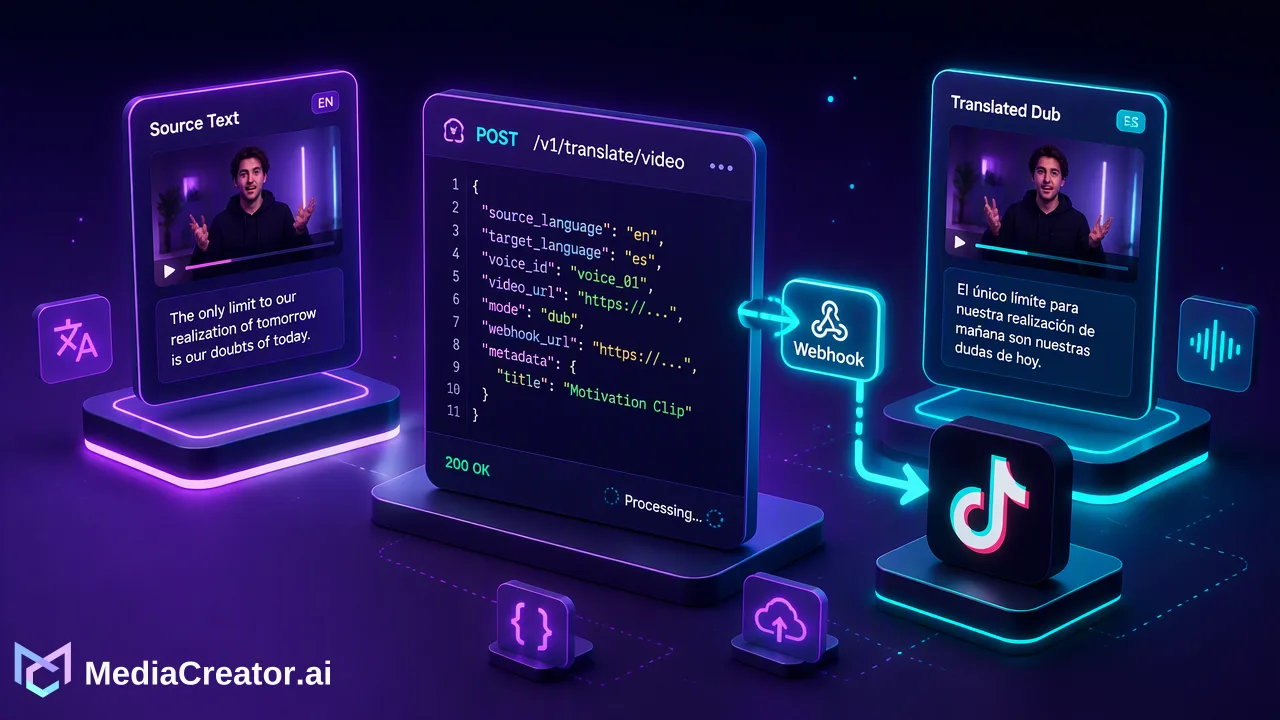
Discover how social media teams translate TikTok videos using AI speech translation, refine subtitles and captions, and schedule localized posts across international accounts.
To translate TikTok videos for international audiences, teams can use an integrated AI workflow to handle speech translation, dubbing, and subtitle synchronization directly within their management dashboard. MediaCreator supports this process through Video Translation Pro, allowing creators to upload source footage, generate translated audio and editable subtitle lines, refine platform-adapted captions, and schedule posts across connected TikTok profiles from a single calendar.
The Importance of Localized Video Content
Short-form video relies heavily on immediate viewer comprehension. When marketing teams and creators expand into global territories, relying solely on a single language limits reach to non-native speaking audiences. Localizing video assets helps organizations communicate directly with regional audiences in their primary language.
Effective localization goes beyond verbatim text conversion. It requires matching visual pacing, aligning spoken audio with cultural nuance, and presenting clear subtitles for viewers who watch without sound. By standardizing this process within a centralized social media management platform, teams can manage multi-market output without duplicating manual production steps across disconnected tools.
Translating Video Content with AI
MediaCreator provides dedicated AI editing tools to streamline the localization workflow for uploaded short-form video. Using AI video translation through Video Translation Pro, teams can process video assets directly in the web application.
The Video Translation Pro Workflow
Upload source footage: Upload the original TikTok video file to the Media Library or directly within the AI Editing interface.
Generate speech translation and dubbing: Video Translation Pro processes the spoken audio, producing dubbed speech tracks alongside synchronized text lines.
Review editable source and translation lines: The interface presents editable source and target lines side by side. Editors can adjust wording, correct proper nouns, and configure subtitle and voice controls to match target requirements.
Verify feature availability: Note that certain standalone cards—such as Subtitle Extract, Burn Subtitles, On-screen Text Translation, and Music Separation—may reflect a Coming soon status. Teams should always verify the live button state in the active interface.
Because AI-assisted editing serves as an operational aid, human review remains a necessary operational step before generating final exports.
Refining Captions and Brand Voice
Once the video dialogue and subtitles are prepared, localized post copy must be drafted for the target account. Translating the video itself is only half the process; post descriptions, hashtags, and calls to action must also reflect regional terminology.
MediaCreator supports this step with Quick Caption and Brand Voice settings:
Quick Caption: Adapts caption copy based on the uploaded video asset, helping social managers create market-relevant draft text without writing every post from scratch.
Opt-in Brand Voice: Teams can maintain up to 10 distinct brand voices per user to ensure tone consistency across different market profiles or content themes.
Mandatory human review: In accordance with platform design, all AI-assisted writing requires user review before publish. Social operations leads should confirm that localized terminology and tone align with organizational standards.
Scheduling and Publishing for Global Audiences
Publishing translated content manually across several international profiles creates operational overhead and increases timing errors. A unified scheduling system keeps regional content calendars organized in one place.
Through MediaCreator's social media scheduler, teams can coordinate multi-market rollouts:
| Workflow Step | Operational Benefit |
|---|---|
| OAuth Account Connection | Connect multiple official TikTok accounts securely without password sharing or browser extensions. |
| Per-Platform Preview | Review the rendered video, description, and layout before committing the post to the queue. |
| Visual Publishing Calendar | Organize localized posts across month, week, or list views with clear draft, queued, and published statuses. |
| Targeted Timing | Schedule localized videos to release at optimal hours for target regional time zones. |
Using a centralized calendar allows cross-functional teams to verify localized video drafts, inspect final previews, and maintain an organized global posting schedule across all target regions.
FAQ
Can teams edit AI-generated subtitles and translation lines?
Yes. Within the Video Translation Pro interface, teams have access to editable source and translation lines alongside subtitle and voice controls. This enables reviewers to correct specialized terminology, adjust line breaks, or modify pacing before finalizing the asset.
Is human review required before publishing translated TikTok videos?
Yes. AI-assisted writing and editing tools within MediaCreator are designed to assist production rather than operate autonomously. Teams must review AI-generated dubbing, subtitles, and captions prior to publishing to maintain accuracy and brand consistency.
Can teams schedule translated TikTok posts for different time zones?
Yes. MediaCreator provides a visual publishing calendar with month, week, and list views. Teams can schedule translated drafts in advance, adapt settings per account, and preview posts before they go live across target regions.
Which editing features are immediately available in the translation workflow?
Video Translation Pro supports speech translation, dubbing, editable subtitle lines, and voice controls. Additional standalone cards such as Subtitle Extract, Burn Subtitles, On-screen Text Translation, and Music Separation may display a Coming soon label depending on the live interface button state.
Learn More
Choose the product information that fits the next step in your workflow.
Get Started with MediaCreator.ai
Discover the power of AI-driven content creation
Related Articles
Continue learning with these related guides
How to Translate YouTube Videos for Viewers in Other Languages
Subtitles, translated titles, dubbed audio tracks or a localized upload: how creators translate YouTube videos, review the output and schedule it.
BlogHow to Cross-Post Short Videos to TikTok, Reels and Shorts Without Looking Duplicated
Adapt one vertical video for TikTok, Instagram Reels and YouTube Shorts: clean exports, per-platform captions, previews and a staggered schedule.
BlogWhy Can’t I Schedule TikTok Posts? Common Causes and Fixes
Find the account, timing, draft and status issues behind missing TikTok scheduling, then verify the result in a calendar.
Blog