
Choosing a TikTok Scheduling Tool When You Also Post to Reels and Shorts
A TikTok scheduling tool for a creator who also publishes Reels and Shorts should connect the actual destination accounts, let an editor adapt each version
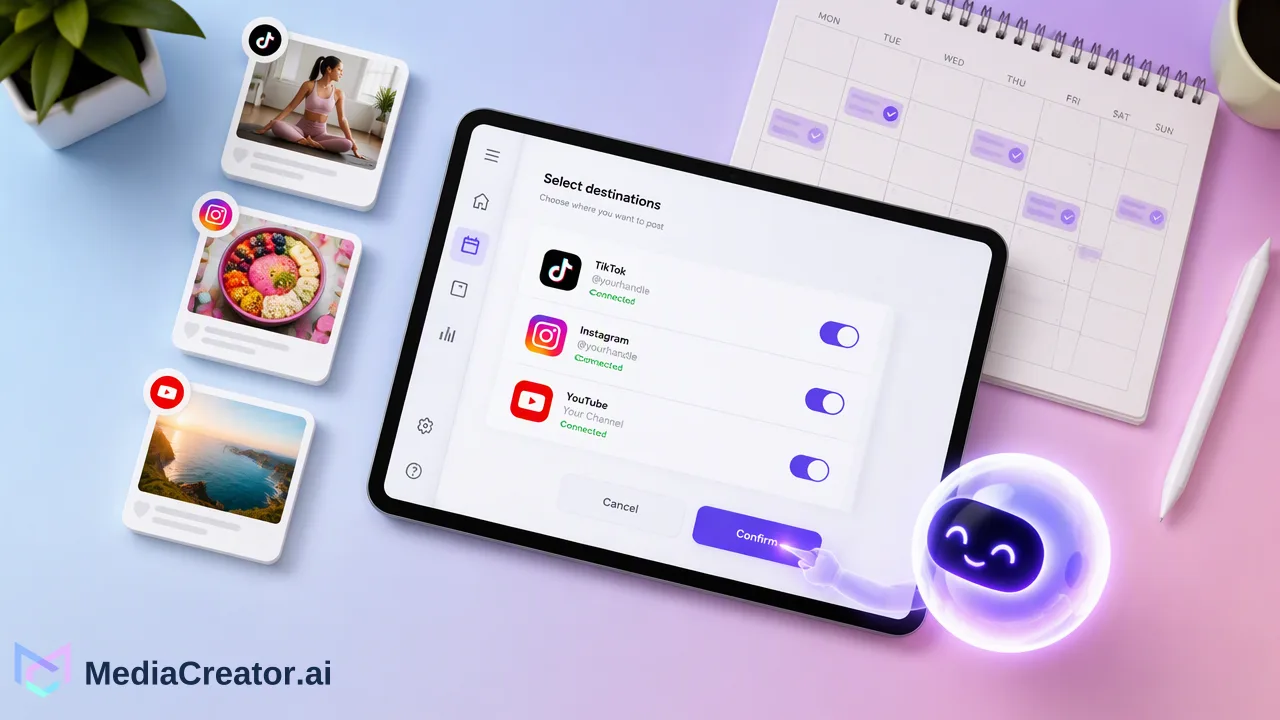
A TikTok scheduling tool for a creator who also publishes Reels and Shorts should connect the actual destination accounts, let an editor adapt each version, preview each platform, and show whether publishing succeeded.
A TikTok scheduling tool for a creator who also publishes Reels and Shorts should connect the actual destination accounts, let an editor adapt each version, preview each platform, and show whether publishing succeeded. Compare the complete three-channel workflow, not just the presence of a calendar. A useful trial task is to take one finished short video through preparation, scheduling, and result checking.
Start with the three-account publishing job
A short video often has one core idea but three different publishing contexts. The same clip may need different first-frame text, captions, mentions, or audience language on TikTok, Instagram, and YouTube. Before comparing tools, list the accounts involved and identify who approves the final copy. A personal creator may handle that alone; a team may need a clear handoff. Either way, the tool should make the target account visible at the point of scheduling.
Use a real upcoming post as the evaluation exercise. Prepare the video and a short source brief with the message, approved claims, media rights, intended audience, and tentative dates. Then test whether the workflow lets an editor carry the same campaign through all three destinations without losing those account-specific choices. Do not judge a scheduler solely by a promotional claim about one-click cross-posting. The question is whether the final posts are appropriate for the destination audience and whether the editor can see the exact planned versions.
MediaCreator.ai connects customer-facing TikTok, Instagram, Facebook, and YouTube accounts through official OAuth 2.0. For this evaluation, connect the TikTok, Instagram, and YouTube accounts that actually carry the short-video series. Review which permissions each account grants, because connected accounts and available platform functions should be checked in the live workflow.
Evaluate connection, account selection, and control
Ask how each account is connected and renewed. A tool should clearly identify the authorized profile, so the editor does not confuse a personal account with a brand account. Official OAuth connection is preferable to sharing a social-account password among teammates. Check how the tool presents multiple accounts from the same platform, and how a scheduler reveals the selected destinations before a post is queued.
Next, find the step where people can review and approve the post. Some scheduling tools focus on moving an asset to a queue; teams also need to know who is accountable for the final text and media. Write down the approval path in plain language: who prepares, who checks facts and rights, who chooses accounts and times, and who handles a failed result. A tool need not implement every internal policy to be useful, but it should not hide the post that is about to go live.
MediaCreator.ai supports drafts, immediate publishing, and scheduled posts in a cross-platform composer. A creator can prepare one campaign, adapt copy and settings per destination, and inspect per-platform previews. That is particularly useful when the same video idea is destined for TikTok, Instagram Reels, and YouTube Shorts but the accompanying words should differ.
Inspect each platform version before setting the time
The preview test is simple: can the editor tell which file, caption, account, and date belong to each destination? Watch the opening of the clip in the intended crop, inspect readable text, and compare the caption with the video. Review any platform-specific disclosures, music rights, or other publishing requirements in the current platform documentation. Do not assume that a tool's preview substitutes for a platform's policy checks.
Write a different caption where the audience needs different context. A TikTok caption might open with the practical point immediately; an Instagram version might refer to a visual sequence; a YouTube Shorts description can carry explanatory context that the creator wants viewers to find there. These are editorial examples, not fixed platform rules. The right variation follows the actual audience, clip, and campaign objective. Preserve the same factual claims across versions, even if the hooks change.
Check the final target list again after adapting the copy. This is the moment to catch a draft aimed at the wrong account or a campaign scheduled in the wrong time zone. A schedule is only useful when the team trusts that the correct version is attached to the correct destination.
Use calendar states and results as the operational test
A three-platform schedule needs a calendar that helps an operator answer what is drafted, queued, publishing, published, or failed. A month view is useful for campaign balance; a week view reveals spacing and conflicts; a list view makes status review easier. Ask whether a missed or failed post remains visible and who checks it. A tool's status is part of the workflow, not a promise that every platform will accept every post.
The MediaCreator.ai social media scheduler offers a visual month, week, and list calendar and per-platform previews. An operator can plan the three versions, scan for accidental overlap, and revisit the result state after the intended time. If a post fails, inspect the recorded result, verify account access and destination requirements, correct the underlying issue, and choose a deliberate next action. Avoid automatically duplicating a post when its live status is uncertain.
Native platform tools can also schedule some content. YouTube's scheduling instructions describe selecting a publish date, time, and time zone in Studio. A cross-platform tool becomes valuable when the team needs one planning view and a consistent review routine across several supported accounts. Compare the actual number of account switches and handoffs in the trial task, rather than assuming that one interface is always better.
Decide with a short scorecard
Score the tool against the work the creator performs each week: supported account connection, accurate account selection, per-platform captions, visual preview, approval visibility, useful calendar views, and result follow-up. Give the most weight to the steps where errors have a real cost. A team managing several brands may prioritize target-account clarity; a solo creator may prioritize fast adaptation and a readable queue.
Run the same test with two posts: one simple clip and one that needs a noticeably different caption for each destination. Confirm that the schedule shows all intended dates and that the editor knows how to interpret each result. Include a failed-state question in the evaluation even if the test post succeeds: where would an operator look, and who would act? This turns a feature list into a practical workflow decision.
Before committing a recurring series, keep a brief operating note with the chosen account names, reviewers, time zones, and status-check routine. Update it when platform permissions or editorial responsibilities change. A good TikTok scheduling tool should support this ordinary work across the destinations the creator actually uses.
FAQ
How can creators compare a TikTok scheduler with native scheduling?
Test the same short-video campaign in each workflow. Compare account selection, separate captions, previews, calendar visibility, and how the team checks published results.
How can teams avoid posting a clip to the wrong account?
Confirm the authorized account when connecting it, then verify the selected destination and per-platform preview before scheduling.
How can teams handle different captions for Reels and Shorts?
Keep the same verified message and adapt the opening, context, and call to action for each destination audience. Review the resulting previews separately.
How can operators respond to a failed scheduled post?
Inspect the status and available failure information, check account access and destination requirements, then decide whether to correct and reschedule. Avoid assuming a retry is always safe.
Learn More
Choose the product information that fits the next step in your workflow.
Get Started with MediaCreator.ai
Discover the power of AI-driven content creation
Related Articles
Continue learning with these related guides
How to Cross-Post Short Videos to TikTok, Reels and Shorts Without Looking Duplicated
Adapt one vertical video for TikTok, Instagram Reels and YouTube Shorts: clean exports, per-platform captions, previews and a staggered schedule.
BlogAI Content Creation Platform for Social Media: What to Look For Before You Buy
A buyer checklist for AI social content tools: media generation, captions, brand voice, human review, AI labels and the path to a scheduled post.
BlogUsing an AI Video Generator for Short Social Videos: From Prompt to Scheduled Post
A step-by-step workflow for making short clips with an AI video generator for social media, reviewing them, adding captions and scheduling the post.
Blog