
AI Content Creation Platform for Social Media: What to Look For Before You Buy
A buyer checklist for AI social content tools: media generation, captions, brand voice, human review, AI labels and the path to a scheduled post.
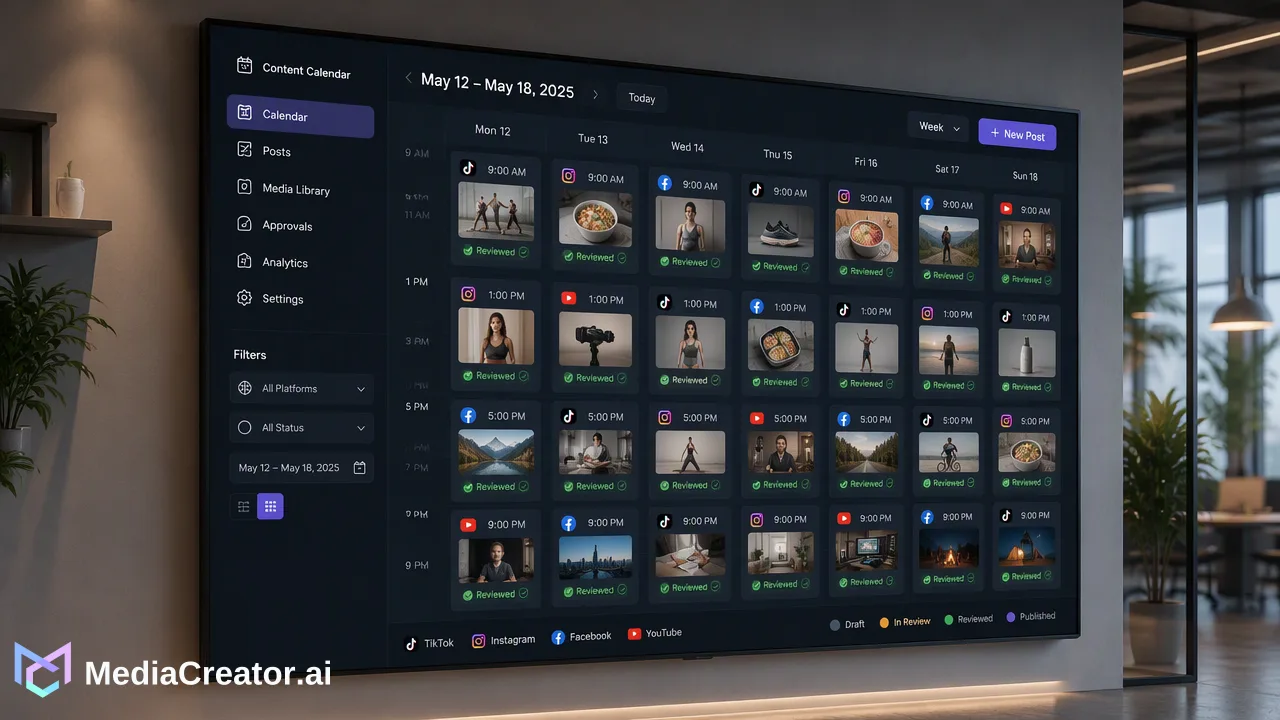
A practical checklist for evaluating an AI content creation platform for social media, from image and video generation to caption drafting, brand voice, human review and scheduling.
A good AI content creation platform for social media does more than write text: it should generate images and short videos, draft captions from the actual media, respect a voice you choose, and hand the result to a review and scheduling step without copying files between tools. The deciding test is whether one idea can travel from prompt to a reviewed, scheduled post in a single workspace. Just as important, a person should approve every draft before it goes live, because the platform drafts and the team decides.
What an AI content creation platform for social media should cover
Most "AI content" tools fall into one of two camps. Chat-style writers produce text but leave you to find media, resize it and paste everything into a scheduler. Media generators produce images or clips but have no idea which account, caption or posting time they are for. A platform built for social posting closes that gap by keeping five steps in one place:
- Idea and media – generate an image or short video from a text prompt or a reference image.
- Caption – draft copy that matches the media and the target platform.
- Voice – apply a voice the team has defined, only when someone chooses to.
- Review – show a per-platform preview and require a human decision.
- Schedule – place the approved post on a calendar for the right connected accounts.
If a tool only covers one or two of these steps, it may still be useful, but buyers should price in the manual work of moving assets between tools, renaming files and re-checking crops.
The buyer checklist: eight criteria and how to test each
Top-ranking roundups of AI social tools tend to list features without telling buyers how to verify them. Use this table during a trial instead of reading feature pages.
| Criterion | What to test during a trial | Warning sign |
|---|---|---|
| Image generation | Generate one image from text and one from a reference image | Only one fixed style or resolution |
| Video generation | Create a short clip and check whether frame or source-video options exist | Clips cannot be attached to a post without downloading |
| Caption drafting | Upload your own photo or video and ask for a caption | Captions ignore what is actually in the media |
| Brand voice | Create a voice, then confirm it applies only where selected | Voice silently changes every draft |
| Human review | Check what happens before anything is published or credits are spent | Actions run without a confirmation step |
| Path to scheduling | Move a draft to the calendar for two platforms | You must export and re-upload media |
| Cost visibility | Look for a cost estimate before each generation | Costs appear only on the invoice |
| Platform coverage | Connect the exact accounts you publish to | Key accounts need workarounds or passwords |
Score each criterion as pass, partial or fail. A platform that passes review, scheduling and cost visibility is usually easier to live with than one that wins on raw generation quality but fails those three.
Human review and AI labels are part of the checklist
Many buyer guides skip a practical point: the major platforms now have their own rules for AI-generated media, so review is not optional.
- YouTube asks creators to disclose realistic altered or synthetic content through the AI use setting at upload, while minor edits such as color correction or captions do not need disclosure, according to its help page on Disclosing use of GenAI content.
- TikTok requires a label on realistic AI-generated images, audio and video and offers a creator toggle for it, as described in its AI-generated content label guidance.
- Meta adds "AI info" labels when it detects industry-standard AI signals or when people self-disclose, as explained in its Our Approach to Labeling AI-Generated Content and Manipulated Media post.
For a buying decision, this means the review step should include a short checklist: Is the media realistic enough to need a label on this platform? Does the caption make claims the brand can stand behind? Is the post going to the right account? A platform that keeps drafts in a preview-and-confirm flow makes these checks a routine habit instead of an afterthought. Teams should still apply each platform's disclosure setting in its native app or upload flow where that setting is required.
How MediaCreator.ai maps to the checklist
MediaCreator.ai's AI content generation tools sit inside the same workspace as the publishing calendar for TikTok, Instagram, Facebook and YouTube accounts. Mapped to the checklist:
- Image and video generation: Content Studio runs asynchronous image and video generation from text or reference images, with first/last-frame or source-video modes where the live interface offers them. The models available follow the live enabled catalog, and the cost shown in the app before generating is the figure to rely on.
- Caption drafting: Quick Caption adapts copy from an uploaded image or video, so the caption starts from the real asset.
- Brand voice: Brand Voice is opt-in and selected per supported surface, with up to 10 voices per user. It is not a hidden default.
- Human review: The Nova AI co-pilot asks for on-screen confirmation before credit-spending or content-creating actions, and AI-assisted writing needs user review before publishing.
- Media handling: Generated and uploaded images, videos and audio live in the Media Library, ready to attach to a post.
- Path to scheduling: Drafts move into the social media scheduler, where copy and settings can be adapted per platform and previewed before the post is scheduled.
AI credits are part of plan limits: paid-plan monthly credits reset at renewal without rollover, and purchased permanent credits do not expire. The pricing page lists the current allowances per plan.
A one-week evaluation plan
A short structured trial tells buyers more than a feature comparison. Run the same brief through every shortlisted platform:
- Day 1 – Connect. Link the real accounts you publish to and note any permission prompts.
- Day 2 – Generate. Produce two images and one short clip from the same prompt; record the cost estimate shown before each run.
- Day 3 – Caption. Draft captions from the generated and one existing asset, with and without a brand voice selected.
- Day 4 – Review. Ask a teammate who did not write the draft to approve or reject it from the preview alone.
- Day 5 – Schedule. Place two posts on the calendar for different platforms and confirm each reaches a published or failed state you can see.
Keep notes on time spent and the number of manual steps. That record is more useful in a buying discussion than any vendor feature list.
Common mistakes when choosing an AI content platform
- Judging only on demo images. Generation quality changes as models are updated; the workflow around it changes far less often.
- Ignoring cost visibility. Without an estimate before each run, a team cannot plan monthly usage.
- Letting one voice apply everywhere. A voice suited to TikTok may not fit a YouTube description; per-surface selection avoids that.
- Skipping the second reviewer. The fastest drafting tool still needs someone checking facts, rights and AI labels.
- Forgetting account fit. Confirm the platform connects the exact profiles, Pages and channels you manage before comparing anything else.
FAQ
How can teams tell if an AI content platform is built for social media rather than general writing?
Check whether a generated image or caption can be attached to a post, previewed per platform and scheduled to a connected account without leaving the tool. General writing tools usually stop at text output.
Do AI-generated social posts need a label?
It depends on the platform and the content. YouTube, TikTok and Meta each describe when realistic AI-generated or altered media should be disclosed or labeled, so the review step should include checking the relevant platform rule before publishing.
How should brand voice settings work in an AI content tool?
Brand voice works best as an explicit choice per draft or surface. In MediaCreator.ai, Brand Voice is opt-in, selected per supported surface and limited to 10 voices per user, so teams know when it is applied.
How can teams control AI generation costs during a trial?
Record the cost estimate shown before each generation and compare it with the plan allowance. In MediaCreator.ai the live in-app cost is the reference, monthly credits are spent first, and purchased permanent credits do not expire.
Learn More
Choose the product information that fits the next step in your workflow.
Get Started with MediaCreator.ai
Discover the power of AI-driven content creation
Related Articles
Continue learning with these related guides
Streamlining Agency Workflows: Mastering Multi-Account Management with MediaCreator.ai
Discover how agencies use a multi-account social media management platform to centralize TikTok, Instagram, Facebook, and YouTube workflows securely.
BlogAI Social Media Content Creator: Turning One Idea into Platform-Ready Posts
How a solo creator can use an AI social media content creator to turn one idea into TikTok, Instagram, Facebook and YouTube drafts, then review and schedule.
BlogAI-Powered Content Creation for Social Media
Discover how AI-powered content creation becomes your strongest ally in standing out on social media, elevating your content strategy through data-driven insights and personalized recommendations.
Blog