
What Is Social Media Publishing? From Draft to Live Post Across Platforms
Social media publishing covers drafts, platform adaptation, review, scheduling, and checking whether a post actually went live.
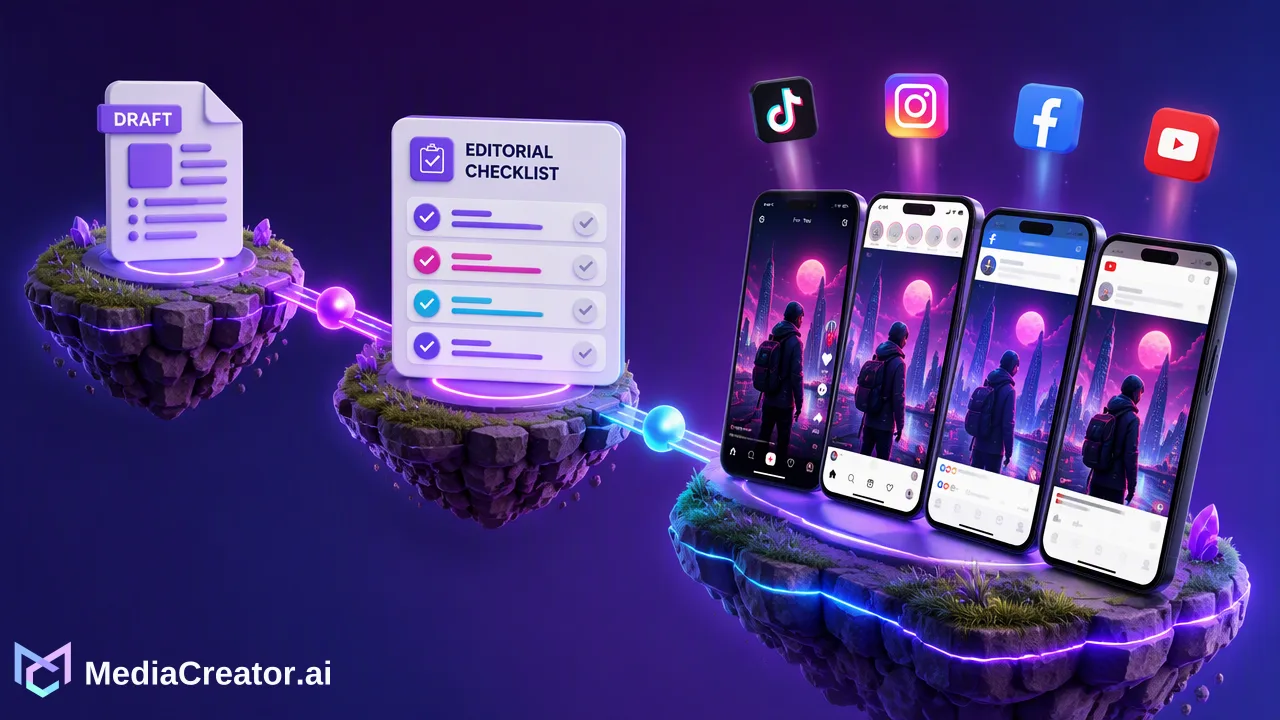
Publishing is a sequence of editorial and operational decisions that ends only when a team confirms the live result.
Social media publishing is the process of preparing a post, adapting it for each destination, approving it, scheduling or posting it, and confirming the result. A calendar entry is not the same as a live post. Teams need a workflow that makes drafts, queued posts, successful publications, and failures visible so they can correct problems without repeating a post.
What social media publishing includes
The word publishing is often used to mean pressing a button. In team operations, it starts earlier: choose the audience and purpose, verify the media rights, write a caption, select the accounts, and check what each platform will display. A short video that works on TikTok may need different caption wording, a different cover, or a different posting window on Instagram. Reusing the same file is sometimes efficient; treating every destination as identical is usually not.
A useful publishing workflow has five states. A draft is editable and has not been queued. An approved post has passed the team's editorial review. A scheduled or queued post has a destination and time but still needs platform processing. A published post has a confirmed live result. A failed post needs investigation and a deliberate next action. MediaCreator.ai's cross-platform composer and month, week, and list calendar make these stages visible for connected TikTok, Instagram, Facebook, and YouTube accounts. Its scheduler overview is relevant when a team needs one place to coordinate dates and destinations.
The team should agree who can change each state. A creator may draft and preview, while a brand manager checks claims and a channel owner confirms the final platform settings. That division can be simple for one person, but it should still be explicit when multiple accounts are connected.
Adapt the post before it enters the queue
Start with a core idea and asset, then write the version each audience will actually see. Check the first line of the caption, the context needed without audio, tags or mentions that are truly relevant, and whether the media dimensions fit the destination. Use a per-platform preview to catch cut-off text, an unsuitable thumbnail, or a link that will not work as expected. Keep a source file and an approval note so staff can explain which version was intended for each account.
For a video, confirm that subtitles and on-screen text match the spoken claim. For a product photo, check that the depicted item and availability are current. If AI helped draft a caption or image, a person still reviews the factual details, rights, tone, and local language. MediaCreator.ai offers Quick Caption and Content Studio as drafting aids, but content creation and credit-spending actions in Nova require on-screen confirmation. The AI content generation page describes those tools. They support preparation; they do not make editorial decisions for the team.
When several platforms share a campaign, use a simple checklist for each version: destination account, correct asset, caption, accessibility text where available, time zone, and reviewer. A single generic checklist entry labeled 'all channels' hides the very differences that create mistakes.
How scheduled publishing differs from manual posting
Manual posting means a person visits the platform and completes the final action there. It gives the person direct control of the last screen but requires someone to be available at the chosen time. Scheduled publishing stores the approved post and attempts to send it at the planned time through supported connections. That is useful for teams coordinating posts across regions, but a schedule remains a plan until the platform reports the outcome.
Official platform integrations are not interchangeable with browser scripts or password-sharing. TikTok's Content Posting API guidance describes authorization and app approval requirements for direct posts. YouTube's video upload reference similarly documents an authorized upload flow. These examples show why a scheduling product must work within each platform's permissions and media rules. A connected account may lose permission or a platform may reject a file, so the team needs to observe results rather than assume every queue item becomes public.
MediaCreator.ai connects customer-facing accounts through OAuth 2.0. Its public REST API on eligible paid plans is a separate way for a team to integrate account, post, profile, media, and asynchronous image or video generation workflows. That API is not a public Analytics or AI Editing API. A team that only needs an editorial calendar can use the web app without building an integration.
Confirm the result and handle a failure
The publishing loop ends with a check. Review the calendar status and, for important posts, open the destination to confirm the account, caption, and media appear as intended. Record the public link in a campaign sheet if another team needs it. A queued state means the system has work to do; it does not prove the audience can see the content. Likewise, a draft should never be counted as published in a weekly report.
When a post fails, identify the affected destination and examine the available error. Check whether the connected account still has the necessary permission, whether the media and settings match that destination, and whether the scheduled time is still useful. Correct the specific issue, then choose a new action intentionally. Do not blindly create a second identical post while the first result is uncertain. MediaCreator.ai exposes published and failed post states and provides terminal post-result webhooks on eligible paid plans, which can help a team track outcomes in its own system.
Review the workflow after a campaign: which platform versions needed edits, where approvals stalled, and which failures required manual follow-up. Use the observations to improve the next calendar and the review process. Publishing is operationally complete when the team knows what went live and what still needs attention.
FAQ
Is a scheduled social media post already published?
No. It is a queued plan until the destination confirms the result. A team should distinguish scheduled, published, and failed states in its reporting.
Can teams reuse one post on every social platform?
They can reuse a core idea or asset, but should review captions, media presentation, settings, and audience context for each supported platform.
Does social media publishing require an API?
No. A web composer and calendar can serve many teams. A public API becomes useful when a team needs to connect its own systems to documented publishing resources.
What should a team check after a failed post?
Check the destination, connection permission, media requirements, settings, and the platform result before choosing whether to correct and reschedule it.
Learn More
Choose the product information that fits the next step in your workflow.
Get Started with MediaCreator.ai
Discover the power of AI-driven content creation
Related Articles
Continue learning with these related guides
A Social Media Publishing Workflow: From Draft to Scheduled Post on Four Platforms
A repeatable six-step publishing routine for TikTok, Instagram, Facebook and YouTube, with per-platform adaptation checks and a post-publish status review.
BlogAI Social Media Post Generator: Drafting a Post from Idea to Scheduled Draft
Use Nova, Quick Caption and Content Studio to draft one post from idea to reviewed, scheduled draft, with human review at each step.
BlogUsing an AI Video Generator for Short Social Videos: From Prompt to Scheduled Post
A step-by-step workflow for making short clips with an AI video generator for social media, reviewing them, adding captions and scheduling the post.
Blog