
How to Manage YouTube Comments Without Opening YouTube Studio Every Day
Learn how to manage YouTube comments from a unified social inbox using OAuth 2.0, streamline team replies, and manage platform permission limits.
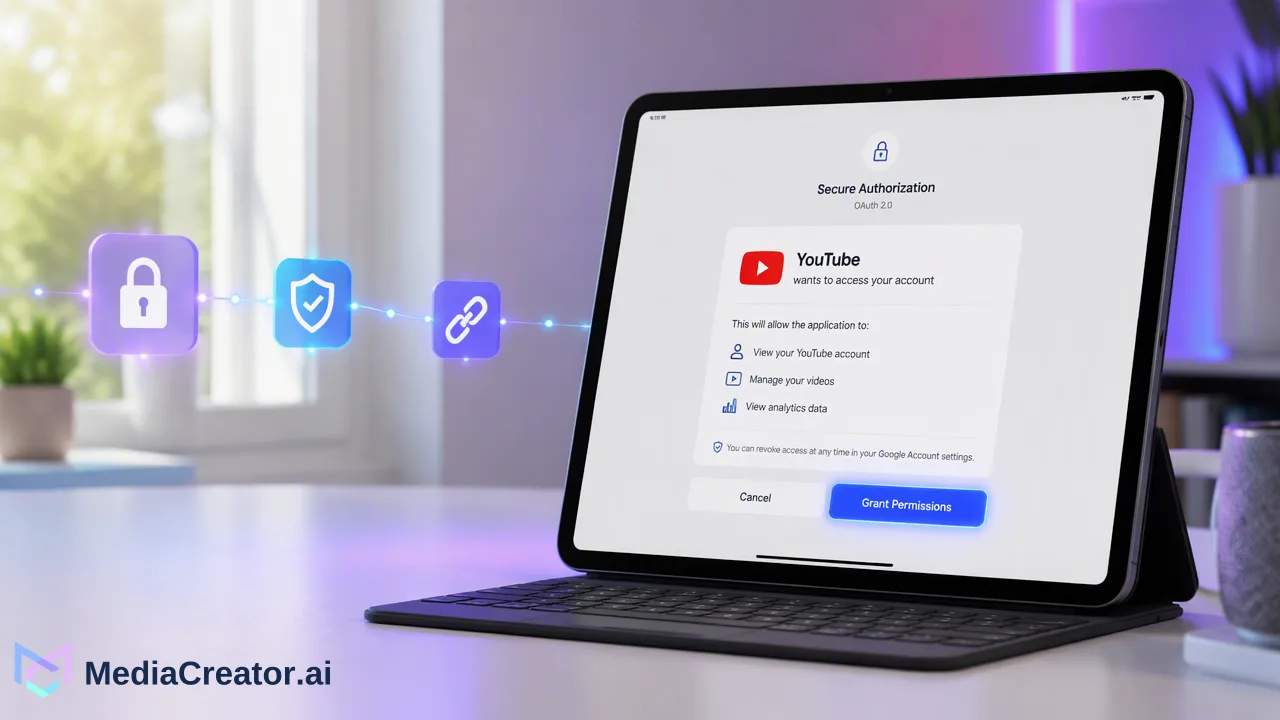
Learn how to manage YouTube comments through a centralized social inbox using secure OAuth 2.0 connections, streamline team responses, and understand platform permission boundaries.
Teams can manage YouTube comments without logging into YouTube Studio every day by connecting their channel to a centralized social inbox via official OAuth 2.0. This allows community managers and creators to review incoming comments, publish replies directly from a single web dashboard, and coordinate internal notes alongside other supported social profiles, avoiding repetitive daily logins across multiple native channel consoles.
The Challenge of Native Platform Management
Relying on YouTube Studio for daily engagement creates operational bottlenecks for content teams, studios, and multi-channel brands.
When operators manage multiple channels or balance video content with presences on TikTok, Instagram, and Facebook, opening separate native dashboards each morning consumes valuable team time. Channel managers must navigate nested studio menus, switch between brand accounts, and manually track which viewer inquiries have received a response.
This fragmented workflow often leads to missed audience questions, slow response cycles, and duplicate replies from team members working without central visibility. Moving conversations into a structured community workflow resolves the friction of fragmented native interfaces.
Centralizing Engagement with a Unified Social Inbox
A dedicated engagement hub replaces manual tab switching by aggregating incoming conversations into a single screen.
Through MediaCreator, organizations can utilize the unified social inbox to monitor supported comments, direct messages, and mentions across eligible connected accounts. Instead of loading YouTube Studio repeatedly throughout the day, community managers can review incoming viewer remarks, draft and publish replies where the source platform allows, and keep internal notes on specific interactions.
| Operational Area | Native YouTube Studio | Unified Social Inbox |
|---|---|---|
| Account Coverage | Single YouTube account / channel context | Combined TikTok, Instagram, Facebook, and YouTube views |
| Cross-Platform Triage | Requires separate native browser tabs | Centralized stream for all connected accounts |
| Internal Context | No internal team notes on comments | Internal notes available for team collaboration |
| Authentication Model | Direct credential entry or Google account switching | Secure OAuth 2.0 authorization tokens |
Access to the Social Inbox is available on MediaCreator paid plans, specifically the Creator, Team, and Business tiers.
Step-by-Step: Connecting YouTube Accounts Securely
Configuring central comment management does not require sharing raw account credentials or installing browser extensions.
Teams can integrate YouTube accounts through the following structured process:
- Navigate to the social connections settings inside the web application.
- Select YouTube and authenticate via the official OAuth 2.0 authorization screen.
- Grant the required channel permissions to allow comment synchronization and reply delivery.
- Confirm the profile addition against your plan's combined connected-account allowance.
- Open the inbox interface to verify that recent comments on published videos populate the feed.
By utilizing official OAuth 2.0 protocols, account owners retain full administrative ownership of their Google accounts while enabling team members to manage conversations safely.
Understanding Platform Permissions and History Boundaries
While a centralized inbox consolidates community interactions, teams must account for platform-level governance and data retention rules.
First, comment availability is governed by YouTube's API permissions and the specific channel authorization granted during the OAuth handshake. If a channel configuration restricts third-party interaction or changes privacy settings on specific videos, those restrictions govern what appears in the external inbox.
Second, historical comment depth varies by subscription level within the application:
- Creator and Team plans: Retain a rolling 30-day window of comment and interaction history.
- Business plan: Retains unlimited interaction history for connected accounts.
Understanding these parameters ensures content teams structure their moderation schedules effectively, maintaining timely response habits while leaving channel configuration, rights management, and monetization settings within native platform tools.
FAQ
Can teams manage other social profiles in the same inbox alongside YouTube?
Yes. MediaCreator supports connecting customer-facing accounts across TikTok, Instagram, Facebook, and YouTube under a single dashboard. Supported incoming interactions across these connected accounts appear inside the unified inbox subject to platform permissions.
Does the unified inbox display all YouTube comment types indefinitely?
Comment visibility and supported interaction types depend on the platform's API rules, account type, and active OAuth permissions. In addition, comment retention inside MediaCreator is plan-specific: Creator and Team plans store 30 days of comment and direct message history, while the Business plan provides unlimited history.
What happens if channel permissions or OAuth authorizations change?
Because channel access relies strictly on OAuth 2.0 tokens rather than shared passwords, modifying permissions in the channel's Google account or revoking access stops new comment synchronization until the account is re-authenticated through the dashboard.
Learn More
Choose the product information that fits the next step in your workflow.
Get Started with MediaCreator.ai
Discover the power of AI-driven content creation
Related Articles
Continue learning with these related guides
How to Schedule YouTube Shorts in Advance
Prepare Shorts with strong titles and descriptions, schedule them on a calendar next to other platforms and preview before they go live.
BlogHow to Translate YouTube Videos for Viewers in Other Languages
Subtitles, translated titles, dubbed audio tracks or a localized upload: how creators translate YouTube videos, review the output and schedule it.
BlogHow to Manage Social Media for Multiple Clients Without Losing Track
A practical system for freelancers and agencies: client onboarding via OAuth, naming rules, previews, separate reply queues and per-client monthly reports.
Blog