
How to Create Social Media Post Variations with AI from a Proven Idea
Turn one useful post into distinct hooks, captions, and visuals for each platform, then review and space the versions on a calendar.
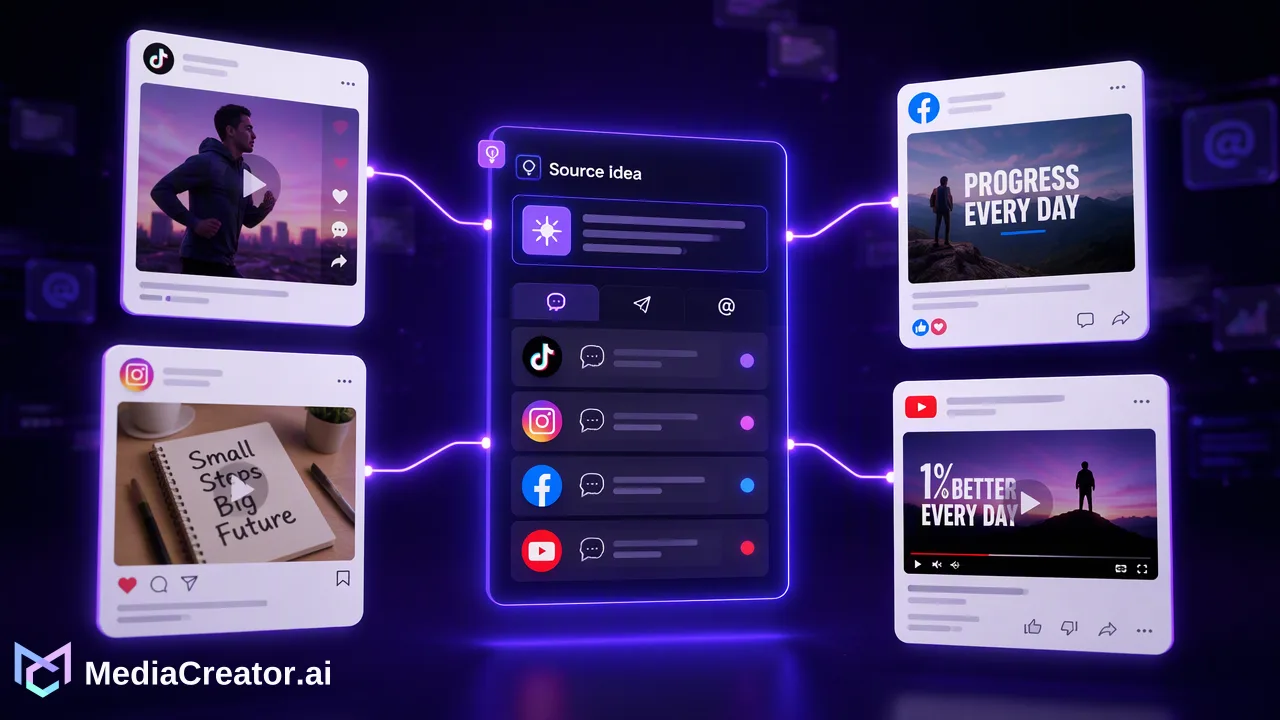
A practical method for varying the angle, copy, and visual treatment of a proven post while keeping a human review step.
To create social media post variations with AI, preserve the useful idea in an existing post and change one creative decision at a time: the hook, caption, format, or visual. Draft options, adapt each for its destination, and review every version before scheduling it. The goal is to test clearer ways of presenting the idea, not to assume that a previous result will repeat.
Choose a post worth varying, then isolate its core message
Start with a post that answered a recognizable audience question or explained a useful process. A strong past result can suggest that the subject resonated, but the engagement number alone does not reveal why. Read the comments and the original creative together: were viewers asking for an example, clarification, shorter demonstration, or a different use case? Record the single claim or takeaway that the new versions must preserve. If the original says how to prepare a product photo for publication, the variants should still teach that task; changing the claim to a broader performance promise creates a different, unverified post.
Write a compact creative brief before requesting AI drafts: intended audience, one takeaway, source asset, words or claims that must stay accurate, and the destination accounts. Include a reason for each new version. For example, one version may answer the most common comment, another may show the first step visually, and a third may condense the explanation for a short clip. These are editorial hypotheses, not measured outcomes. Keep the original available for comparison so reviewers can see whether a draft clarifies the message or merely rearranges its wording.
Create social media post variations with AI by changing one element at a time
Ask for several openings that use genuinely different approaches: a direct answer, a familiar mistake, a demonstration, or a question the audience has actually asked. Do not treat synonyms as new hooks. TikTok's Creative Codes describe a hook, body, and close as a useful video structure; the same distinction helps a team identify whether it is changing the opening or the whole story. A draft should still deliver the promised answer after its hook. Remove openings that overstate the benefit or make an unsupported claim.
Next, vary the caption around the same verified message. In MediaCreator.ai, Quick Caption can draft copy from an uploaded image or video. A reviewer can use those options as starting points, then edit terminology, audience context, and the final prompt to the reader. If the team uses opt-in Brand Voice, select it on a supported surface and check the result against approved examples. Brand Voice is an aid to consistency, not a substitute for checking factual claims. The AI content generation feature is relevant when the task is to develop copy or visual alternatives.
Change the visual only when it adds a new way to understand the idea. A close-up may make a process visible; a concise graphic may help readers compare choices. Content Studio supports image and video generation with text and reference-image workflows, with additional video modes where the live interface offers them. Check the enabled model and the in-app estimate before generating. If the existing asset explains the idea best, keep it and vary the hook or caption instead. AI output can introduce text errors, distorted details, or an implied product feature that does not exist, so review generated media against the source brief.
Adapt each version to its platform and account
A variation is more useful when it fits the way people will encounter it. MediaCreator.ai's customer-facing publishing flow covers TikTok, Instagram, Facebook, and YouTube. In its cross-platform composer, prepare the shared idea, then adjust copy and settings per target platform and inspect each platform preview. Do not assume that identical captions, opening frames, or calls to action make sense everywhere. A TikTok or short-video opening may need to show the point quickly, while a Facebook post may benefit from enough context to stand alone. This is an editorial choice, not a formula for reach.
For each destination, ask four questions. Does the first screen or sentence explain why this version exists? Does the caption match the media rather than describe a different demonstration? Are names, links, and claims correct for this account? Can the viewer understand the post without having seen the original? A version that depends on unexplained references to an earlier post needs a new introduction. Use the per-platform preview to catch mismatches before scheduling. Keep a simple note beside each variant naming its changed element; otherwise, a later reviewer may mistake near-duplicates for distinct creative tests.
Review, schedule, and learn without over-reading the result
Human review is the release gate. Have the owner compare each variant with the source brief, verify any factual statements, inspect the media, and read the post in the platform preview. Check whether the variant answers its own hook. If an AI draft adds a statistic, customer quote, feature, or outcome that cannot be verified, remove it or replace it with a supported statement. Credit-spending or content-creating Nova actions require on-screen confirmation, and AI-assisted copy still needs review before publishing.
Use the visual social media calendar to space approved variants rather than placing closely similar posts together without a reason. A calendar view makes the sequence visible across accounts and helps a team see if a new post repeats an old one too soon. Choose an interval based on audience and editorial context; there is no universal spacing rule. Record which hook, visual, and caption went with each scheduled item. After publishing, compare the relevant account's content results in the analytics views available on paid plans, and read qualitative feedback as well. A difference in results may reflect topic, audience, timing, or platform context, so treat it as a prompt for the next editorial decision, not proof that one AI wording always wins.
If a variation performs poorly, inspect the post itself before generating more alternatives. Did the opening promise an answer the body never gave? Was the visual too similar to the original to be informative? Did the caption assume context that a new viewer lacked? Use the diagnosis to change one element in the next draft. This loop produces a clearer library of ideas and decisions even when no version outperforms the first post.
FAQ
How can teams tell whether a variation is genuinely different?
Name the single editorial change and its purpose. A new question answered, visual demonstration, or audience angle is distinct; swapping a few adjectives while preserving the same opening and example usually is not. Keep the central factual message consistent.
Can AI-generated variations be scheduled without review?
Teams should review each draft's claims, media, caption, and platform preview before scheduling. AI can assist with copy and media ideas, but it can introduce errors or an unsuitable tone, and it does not guarantee engagement.
How many versions of one post should teams create?
Create only as many as have a clear editorial purpose. A small set with distinct hooks or formats is easier to review and learn from than many near-duplicates. The right number depends on the available source material and publishing calendar.
How can teams compare results across variants?
Record the changed element for each version, then examine the relevant content results and audience feedback after publication. Consider account, timing, and platform context before attributing a difference to the creative change alone.
Learn More
Choose the product information that fits the next step in your workflow.
Get Started with MediaCreator.ai
Discover the power of AI-driven content creation
Related Articles
Continue learning with these related guides
AI Social Media Post Generator: Drafting a Post from Idea to Scheduled Draft
Use Nova, Quick Caption and Content Studio to draft one post from idea to reviewed, scheduled draft, with human review at each step.
BlogUsing an AI Video Generator for Short Social Videos: From Prompt to Scheduled Post
A step-by-step workflow for making short clips with an AI video generator for social media, reviewing them, adding captions and scheduling the post.
BlogA Social Media Publishing Workflow: From Draft to Scheduled Post on Four Platforms
A repeatable six-step publishing routine for TikTok, Instagram, Facebook and YouTube, with per-platform adaptation checks and a post-publish status review.
Blog