
How to Budget AI Credits for a Month of Social Content
Forecast AI credits from approved assets, generation attempts and live model estimates, while accounting for reuse and monthly renewal.
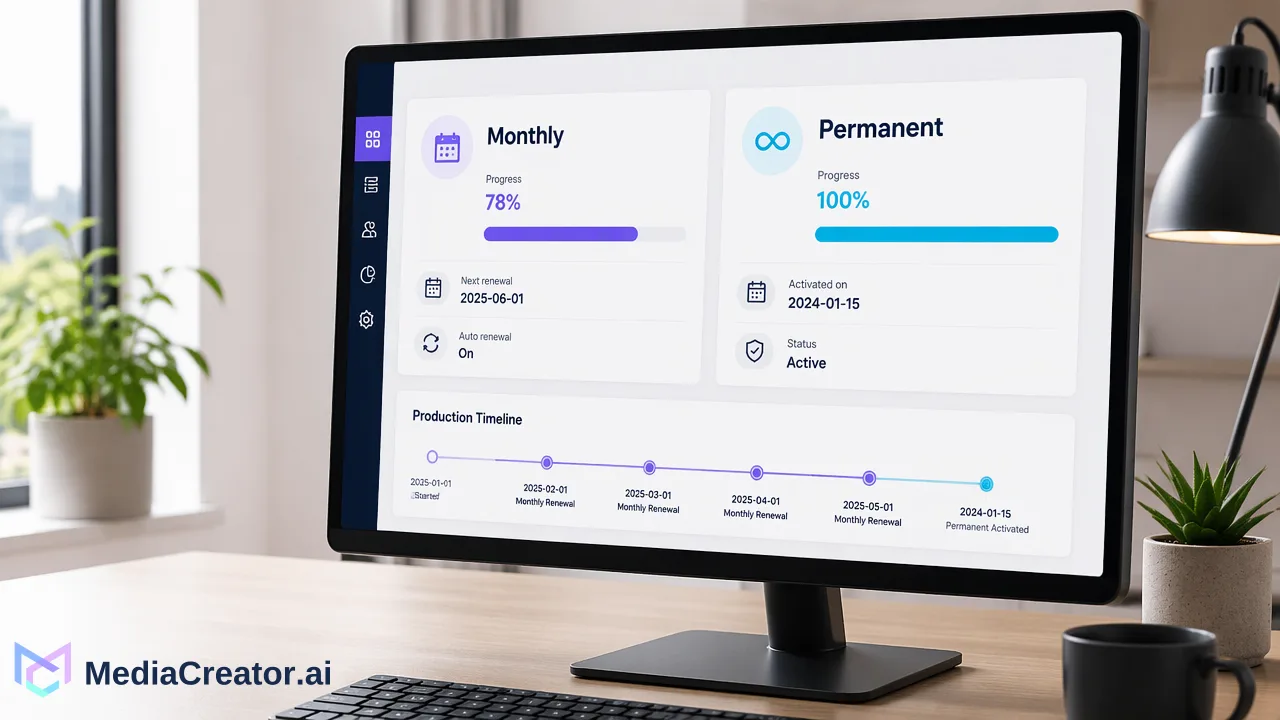
Plan credits from generation attempts, not the number of scheduled posts.
Start with the assets a month of social posts actually needs. Mark each as reused, caption-only or newly generated, then estimate the attempts required to obtain approved images and videos. Multiply attempts by the credit estimate shown in the live MediaCreator interface for the chosen model and settings. Keep monthly plan credits and permanent purchased credits in separate columns because they have different expiration rules.
Count deliverables before generations
A scheduled post is a publication slot. It is not automatically a new AI image or video. A product photo can be reused in several posts; a caption draft might use an existing asset; a new campaign concept might need several candidate images before one is approved. Make four columns: post slots, distinct source assets, generation attempts and approved outputs. Add an owner and approval criterion for each asset. This prevents a simple “posts times credits per post” estimate from hiding reuse or rejected results.
For example, a team plans 20 posts. Ten use existing photographs, four use approved video clips with newly written captions, and six need original visuals. That creates six required new visual outputs, not 20. The team might request more than six generations to obtain them, but no universal retry ratio is established by the product profile or competing vendors’ examples. Label any assumed acceptance range as a scenario and replace it with your own observed approval rate after a small sample. A reused file still has editing, storage and rights checks; it simply does not require a new generation for that reuse.
Use live units for images and video
MediaCreator’s AI content generation page describes image and video workflows. Content Studio supports text and reference-image inputs and certain video modes when the live interface offers them. The enabled model catalog and the estimate displayed before a run govern cost. A model choice, image resolution or video length can change the estimate. Record the displayed unit estimate for the exact settings you intend to use rather than copying a dated example from a blog or using another vendor’s credits as equivalent units.
A useful worksheet has one row per action type: “image, selected model, selected resolution, displayed credits per attempt” and “video, selected model, selected duration and resolution, displayed credits per attempt.” Leave the unit cell blank until someone inspects the live estimate. The older documented catalog is a snapshot, not a price guarantee. If the requested model or mode is absent, revise the creative brief or check the enabled options; do not assume that the last catalog entry remains available. Human review of visual accuracy, rights, captions and platform crop remains part of acceptance.
Budget attempts and approved outputs separately
For each asset type, write the number of approved outputs needed and a low and high number of attempts. Multiply each attempt count by its own live unit estimate, then sum the rows. The high case is a contingency, not a promised rejection rate. If a generated candidate fails the brief, log why: wrong product detail, unusable text, inconsistent framing, missing approval or an unsuitable platform crop. A targeted revision may use another paid generation. The accepted-output count remains one only when a usable file has passed review.
Illustrative worksheet — replace the unit values with live estimates. A team needs four accepted images and two accepted short videos. It plans 4–8 image attempts and 2–4 video attempts. Let I be the live credits shown for one selected image action and V the displayed credits for one selected video action. The planning range is 4 × I + 2 × V to 8 × I + 4 × V credits. This says nothing about the actual price of either action or how often the team will reject a result. If a format requires another resolution or duration, split it into a separate row with a new displayed unit. Keep caption-only drafts and reused files visible in the production table with zero new media-generation attempts; other actions may have their own displayed cost.
Align the budget with renewal, not a calendar guess
MediaCreator’s current profile says paid-plan monthly AI credits reset to the plan allowance at successful renewal and do not roll over. Purchased permanent credits do not expire, and monthly credits are spent first. That means a calendar month and a subscription period may not be the same window. Put each planned generation on a timeline by expected production date and renewal date. Do not count unused monthly credits as next month’s opening balance. If a campaign crosses renewal, split its expected attempts across the two periods.
Compare the high and low ranges with the current plan allowance on pricing. Free’s credits are a one-time starting allocation, not a recurring monthly pool. Creator, Team and Business have different monthly allocations; the actual choice also depends on publishing accounts, posts, storage and required features. A permanent pack can provide a separate reserve, but it does not change a plan’s other feature gates. Avoid buying from the low estimate when one unapproved video would exhaust the remaining monthly allowance. Equally, do not assume every post needs generated media.
Run a small approved sample in Content Studio, record the live unit estimates and the attempts needed to pass your own review, and update the worksheet before committing to the full month. That sample provides a defensible local planning range without promising a fixed credit cost per accepted post.
Learn More
Choose the product information that fits the next step in your workflow.
Get Started with MediaCreator.ai
Discover the power of AI-driven content creation
Related Articles
Continue learning with these related guides
How to Bulk Schedule Social Media Posts for a Month
Plan, batch-draft, adapt and place a month of posts on a visual calendar, with a review step before anything goes live.
BlogHow to Manage Social Media Comments in One Place: A Daily Inbox Routine
A step-by-step routine for handling comments, DMs and mentions from TikTok, Instagram, Facebook and YouTube accounts in one inbox, with triage rules.
BlogMapping Creator Briefs to Conversion Paths: A Workflow Guide for Q4 Retail
Learn how to map creator briefs to Q4 retail conversion paths across marketplaces and DTC storefronts using structured multi-platform workflows.
Blog