
Using an AI Caption Generator for TikTok and Instagram Posts
Draft platform-adapted captions for TikTok and Instagram from images and video, refine voice, and review copy before scheduling in a unified calendar.
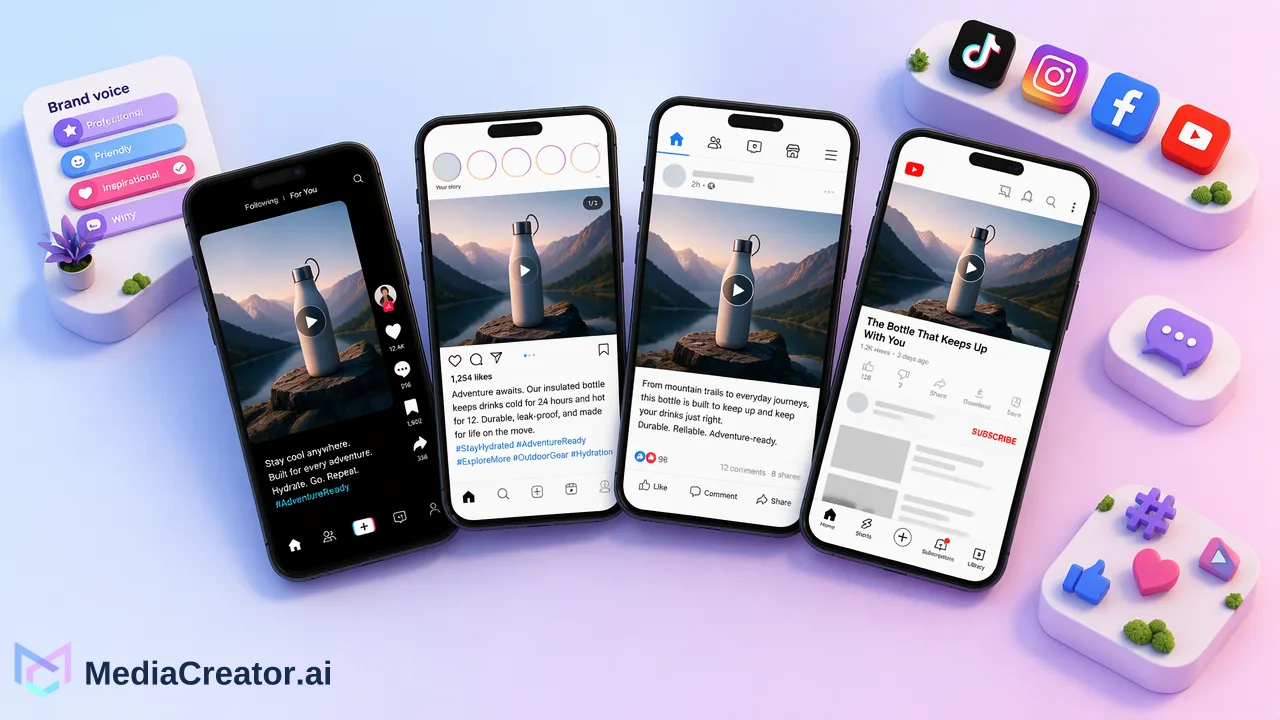
Learn how teams use an AI caption generator for TikTok and Instagram to create platform-adapted drafts from visual media, maintain brand voice, and review posts before scheduling.
An AI caption generator for TikTok and Instagram streamlines social media production by analyzing uploaded images or videos to generate platform-adapted copy. Instead of manually rewriting captions from scratch for every channel, creators and marketing teams can use tools like Quick Caption to produce initial text tailored to distinct platform norms. Because AI serves strictly as a drafting assistant, human review remains a necessary step to refine tone, check contextual details, and confirm messaging before adding posts to a publishing calendar.
The Challenge of Platform-Specific Copywriting
Publishing visual content across multiple channels introduces a common editorial dilemma: TikTok and Instagram serve different audience habits and formatting conventions. A single visual asset often requires punchy, trend-conscious hooks for TikTok, while an Instagram post might demand descriptive context, structured spacing, and targeted topic tags.
Manually crafting unique copy for each destination consumes significant operational time, leading many teams to either cross-post identical text or delay their publishing cadence. Using an AI content generation workflow helps resolve this friction by turning source assets into platform-specific drafts without requiring social media managers to rewrite every line from an empty text box.
How Quick Caption Adapts Copy from Uploaded Media
Quick Caption functions as an asset-aware drafting utility within the composer. Rather than prompting a standalone chat interface with detached text descriptions, users upload their target image or video directly into the web application. Quick Caption examines the media asset to draft relevant, platform-adapted copy tailored to the selected destinations.
Comparing Manual and AI-Assisted Workflows
| Workflow Stage | Manual Approach | Quick Caption Workflow |
|---|---|---|
| Source Analysis | Writer manually watches or inspects media | System evaluates uploaded image or video |
| Multi-Platform Drafting | Copy is rewritten from scratch per network | System drafts platform-adapted variations |
| Editorial Refinement | Multiple revisions across separate documents | User edits drafts directly in the cross-platform composer |
| Publishing Readiness | Copy pasted across native apps | Drafts reviewed and previewed in one dashboard |
This workflow allows operators to generate distinct caption angles for TikTok and Instagram simultaneously, providing a solid creative foundation while preserving editorial oversight.
Maintaining Brand Consistency with Opt-In Brand Voice
A frequent concern when adopting AI captioning is the loss of a recognizable brand identity. Generic generative outputs can easily feel disjointed or off-brand if unguided.
In MediaCreator, Brand Voice is an opt-in capability designed to support consistent phrasing across social touchpoints. Teams can configure up to 10 distinct brand voices per user account and select which voice applies to a given surface. Because the feature is strictly opt-in rather than an unalterable global default, content creators retain control over when and where stylistic guidelines apply. This structure helps teams tailor captions for casual TikTok video drops without compromising more formal messaging required on other channels.
Integrating Caption Drafting into Review and Scheduling
Drafting is only one component of social operations. Once Quick Caption delivers suggested copy, editorial teams must verify the content prior to scheduling. MediaCreator enforces that AI-assisted writing requires user review before publish, ensuring automated copy never bypasses human approval.
The Confirm-First Publishing Pipeline
- Upload Media Asset: Add images or videos to the composer for TikTok and Instagram.
- Generate Draft Copy: Use Quick Caption to produce platform-adapted text proposals.
- Apply Brand Voice: Opt in to a predefined voice profile to align phrasing with team standards.
- Review and Edit: Refine hashtags, verify claims, adjust line breaks, and inspect platform previews.
- Schedule on the Calendar: Queue the approved post on the social media scheduler across designated dates and times.
Managing drafts, platform-specific adjustments, and scheduled publishing in a single web application keeps social media teams organized without trading away quality control.
FAQ
Does an AI caption generator guarantee better engagement on TikTok or Instagram?
No. An AI caption generator produces text drafts based on uploaded media and selected parameters, but it does not guarantee engagement, reach, virality, or audience growth. Content performance depends on broader audience dynamics, creative quality, and platform algorithms.
Can teams generate captions for platforms outside TikTok and Instagram?
Yes. MediaCreator supports social connections and cross-platform publishing across TikTok, Instagram, Facebook, and YouTube through official OAuth 2.0 connections. Features like Quick Caption assist with copy generation across these supported destinations.
Why is user review required before publishing AI-generated captions?
AI-assisted writing is designed to support the drafting stage rather than operate autonomously. Reviewing copy before scheduling helps teams verify factual accuracy, maintain tone consistency, support alignment with brand standards, and adjust hashtags or calls to action.
How does Quick Caption handle differing platform requirements?
Quick Caption analyzes uploaded images or videos to suggest distinct drafts tailored to platform-specific presentation. Users can inspect and edit the generated copy inside the composer, preview how it displays for TikTok and Instagram, and adjust character length or layout accordingly.
Learn More
Choose the product information that fits the next step in your workflow.
Get Started with MediaCreator.ai
Discover the power of AI-driven content creation
Related Articles
Continue learning with these related guides
How to Schedule TikTok Posts from a Computer
Connect TikTok through OAuth, prepare the video and caption, pick a slot on the calendar and preview before publishing. A step-by-step desktop workflow.
BlogWhy Can’t I Schedule TikTok Posts? Common Causes and Fixes
Find the account, timing, draft and status issues behind missing TikTok scheduling, then verify the result in a calendar.
BlogUsing an AI Video Generator for Short Social Videos: From Prompt to Scheduled Post
A step-by-step workflow for making short clips with an AI video generator for social media, reviewing them, adding captions and scheduling the post.
Blog