
Building a Unified Social Media Tech Stack: A 2026 Guide to Integrated Workflows
Explore how an integrated social media management tech stack unifies scheduling, AI drafting, and inbox tracking across major networks.
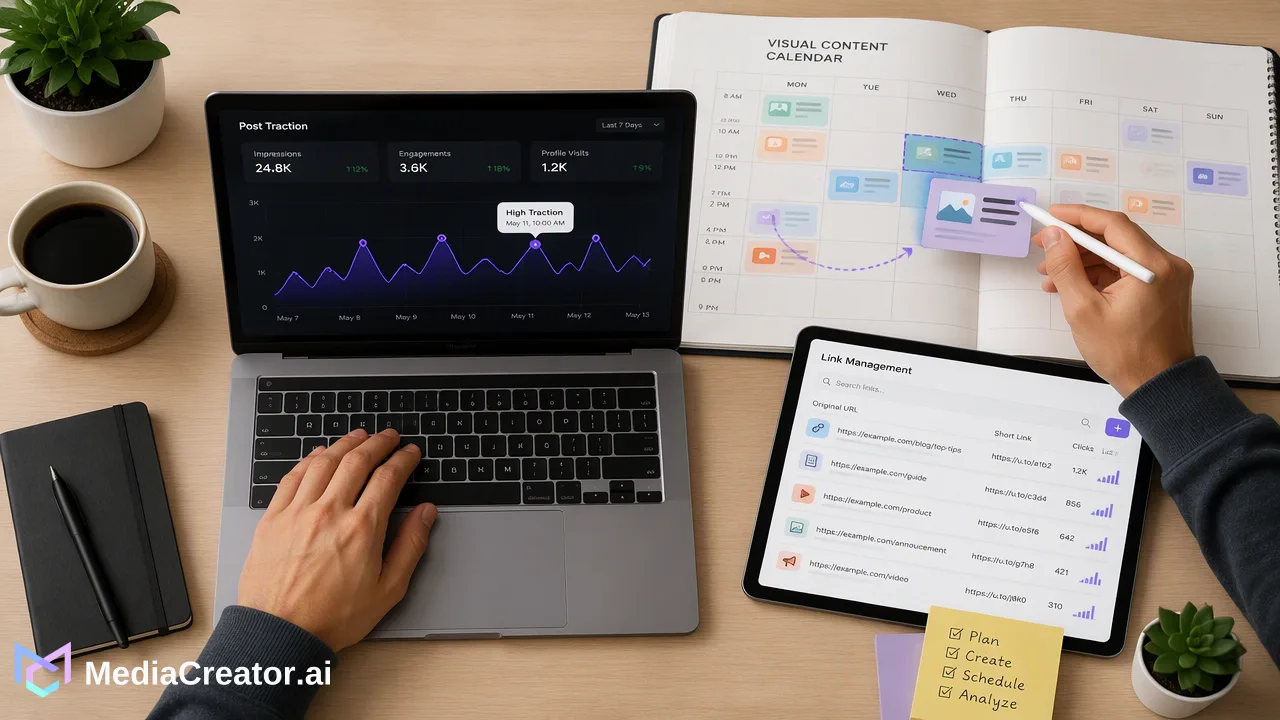
Consolidating social media operations into an integrated tech stack helps marketing teams simplify scheduling, AI-assisted drafting, and multi-network conversation management.
A unified social media management tech stack coordinates scheduling, content drafting, community interactions, and performance review within a single operational environment. Rather than toggling across disconnected apps for copywriting, asset generation, calendar planning, and conversation monitoring, teams connect their profiles directly into an integrated workspace. This approach supports publishing consistency across TikTok, Instagram, Facebook, and YouTube while reducing workflow friction, preserving editorial voice through centralized AI drafting, and keeping operational oversight intact through required human approval before publication.
The Operational Shift Toward Unified Social Architecture
Managing modern social operations across several channels frequently leads to operational fragmentation. Marketing groups often assemble ad-hoc toolkits that pair standalone scheduling apps with separate text generators, graphics editors, spreadsheet calendars, and manual inbox checks. This fragmented arrangement creates coordination silos, obscures calendar visibility, and increases administrative friction as team members repeatedly transfer creative assets between incompatible systems. Adopting a unified social media management tech stack helps organizations replace disconnected software with a central operational hub. Web-based platforms like MediaCreator.ai connect TikTok, Instagram, Facebook, and YouTube accounts over direct OAuth 2.0 protocols, removing the need for shared account passwords or fragile browser extensions. Managing multiple accounts per network from one dashboard provides visibility across active campaigns, helping creators, agencies, and brand teams maintain a coherent content schedule.
Integrating AI Creation with Human-in-the-Loop Governance
Artificial intelligence within an integrated stack provides practical utility when embedded directly into the composition and scheduling pipeline. Instead of relying on generic external text generators that lack context regarding past posts or platform technical limits, teams benefit from integrated generative tools that align with publishing rules. Within MediaCreator.ai, optional AI modules support distinct creation stages:
- Nova AI Co-pilot: Assists with drafting post copy and guiding creative decisions inside a chat-style interface. - Quick Caption: Adapts caption drafts directly from uploaded media files to match the conventions of specific networks. - Content Studio: Generates supporting imagery and video assets directly within the composition environment. - Brand Voice Configuration: Stores reusable tonal parameters so generated drafts remain aligned with organizational standards. Responsible content operations require structured governance over generative automation. MediaCreator.ai incorporates a confirm-first model: any AI write action surfaces a distinct confirm card before content moves to a queued or published state. This mechanism ensures that team members inspect tone, verify factual accuracy, and approve messaging before posts enter the visual publishing calendar.
Coordinating Cross-Platform Publishing and Audience Engagement
Publishing across multiple networks involves more than broadcasting identical assets to every feed. Each social network maintains distinct technical formatting specifications, text length considerations, and visual framing requirements. An integrated tech stack addresses this challenge through cross-platform adaptation and visual calendar management. Teams compose a primary message once, tailor copy and tags per destination, and inspect per-platform previews to verify how the update renders on TikTok, Instagram, Facebook, or YouTube prior to scheduling. The shared calendar organizes posts across draft, queued, and published states, giving collaborators complete clarity on upcoming output. | Operational Stage | Fragmented Workflow | Unified Stack Workflow | | :--- | :--- | :--- | | Account Access | Password sharing across team members | Direct OAuth 2.0 authentication | | Content Preview | Post live or guess mobile rendering | Per-platform visual previews prior to scheduling | | Calendar Visibility | Disconnected spreadsheets and drafts | Centralized calendar with draft, queued, and published states | | Community Management | Logging into each app independently | Centralized inbox collecting comments, DMs, and @mentions | Audience interaction represents the second half of the social lifecycle. MediaCreator.ai features a Unified Social Inbox that gathers comments, direct messages, and @mentions across connected accounts into a single interface. Consolidating incoming conversations helps teams track feedback, respond to inquiries, and manage community interactions without hopping between separate mobile apps.
Informing Planning with Performance Review and Link Organization
A comprehensive tech stack closes the loop between publishing, engagement, and strategic planning by integrating native performance review and distribution utilities. Reviewing past post traction helps teams refine future scheduling decisions. Inside the MediaCreator.ai web application, analytics tools display per-account and per-post performance metrics. These metrics inform posting-time recommendations, supporting teams when deciding when to schedule items on the visual calendar. Rather than guessing publication timing, operators apply platform-specific activity trends directly to upcoming drafts. Additionally, integrated link management helps teams organize shortened and shared URLs in one central repository. Consolidating destination links alongside creative assets prevents broken references, streamlines campaign tracking, and supports orderly distribution across social profiles.
FAQ
Why do organizations replace multiple single-purpose tools with a unified social media management tech stack?
Operating separate tools for scheduling, copywriting, asset generation, and community replies introduces coordination friction, raises data fragmentation, and complicates team collaboration. An integrated platform connects profiles across TikTok, Instagram, Facebook, and YouTube into a shared environment. This consolidates draft schedules, visual calendars, and inbound interactions into a single system of record, which supports cross-platform alignment and reduces context switching for content teams.
How does AI-assisted content creation integrate into a professional social workflow without losing brand control?
In an integrated system, AI acts as an editorial assistant rather than an autonomous publisher. Tools such as Quick Caption adapt messaging to specific channel requirements, Content Studio assists with visual assets, and Brand Voice stores defined tonal rules. Crucially, responsible platforms implement confirm-first checkpoints where AI write actions display a confirmation card before any asset is queued or published, keeping human judgment at the center of the review cycle.
What operational criteria should teams use to evaluate social media management platforms?
Teams should evaluate whether a platform natively supports core channels—specifically TikTok, Instagram, Facebook, and YouTube—using secure OAuth connections that eliminate password sharing or browser plugins. Additionally, review whether the system provides per-platform post previews, a calendar displaying draft, queued, and published states, a unified social inbox for mentions and direct messages, and posting-time recommendations based on historical account performance.
Learn More
Choose the product information that fits the next step in your workflow.
Get Started with MediaCreator.ai
Discover the power of AI-driven content creation
Related Articles
Continue learning with these related guides
From Data to Decisions: A Framework for Actionable Social Listening
Learn how to transform social listening metrics into strategic KPIs by bridging reactive monitoring, unified inbox workflows, and long-term planning.
BlogBuilding a Brand Safety Governance Framework: A Guide to Enterprise Risk Mitigation
Learn how to build a social media brand safety governance framework with human-in-the-loop workflows, brand voice controls, and multi-account oversight.
Blog