
Social Media Inbox Management: A Daily Routine Across Four Channels
Build a practical routine for comments, messages and mentions across TikTok, Instagram, Facebook and YouTube, with clear escalation and coverage checks.
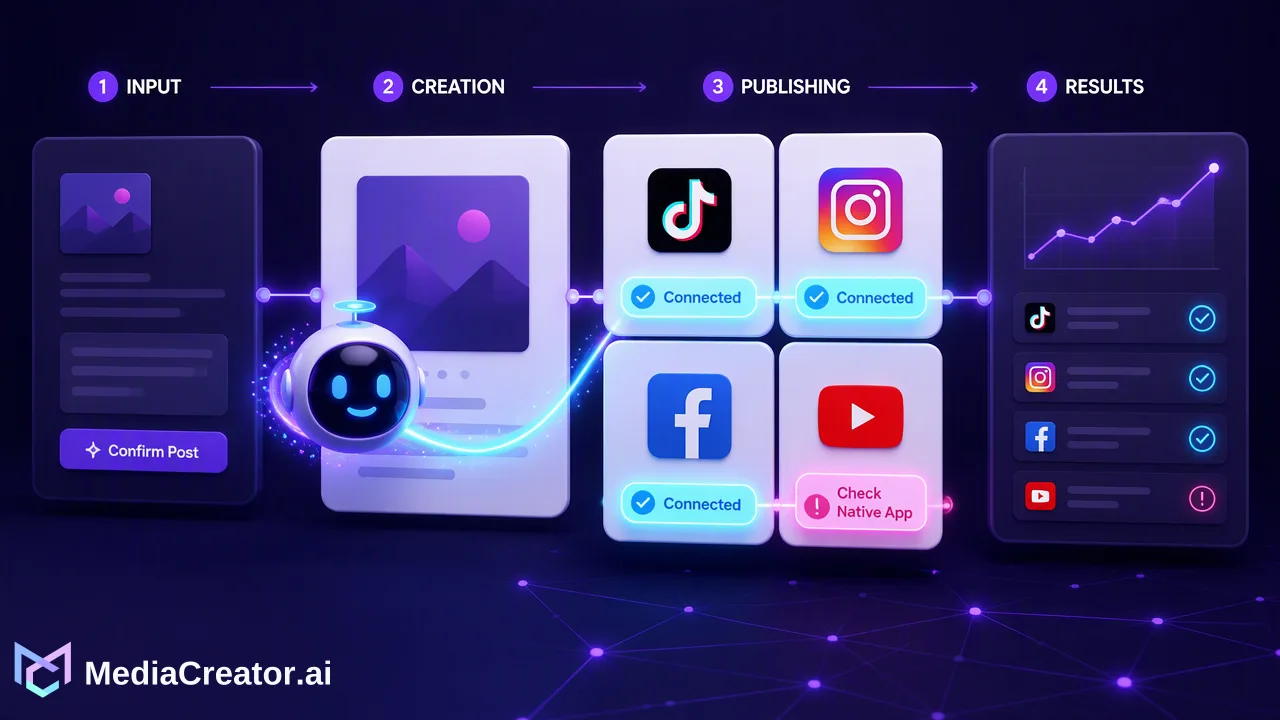
A daily social inbox routine helps teams sort urgent questions, answer consistently and check gaps in platform coverage.
Social media inbox management is the practice of reviewing, prioritizing and answering conversations from connected social accounts in a repeatable queue. Start with questions that need a decision or a private response, then handle routine comments and mentions, and finish by checking what the connected inbox could not show. A shared view saves switching between accounts, while an owner and escalation rule keep difficult conversations from being treated like ordinary replies.
What social media inbox management actually covers
An inbox is more than a list of unread items. A comment under a recent video, a direct message about an order, and an @mention from a partner require different responses, even when they arrive together. The operating question is: who should answer, what information can be shared publicly, and when should the conversation move to a private or specialist channel? Write those rules before volume rises.
For a team running TikTok, Instagram, Facebook and YouTube, the first task is to map the conversations each connected account can actually expose. MediaCreator.ai's Unified Social Inbox shows supported comments, direct messages and mentions on eligible connected accounts. Availability depends on the platform, account type and OAuth permissions. That means a single view is a working queue, not a claim that every interaction on every network appears there. The YouTube comment API documentation distinguishes top-level threads from replies and describes permission-dependent reply actions, a useful reminder that the underlying platform shapes what a connected tool can handle.
Keep a short coverage sheet beside the routine: account name, connected platform, who owns it, types of interactions visible in the shared inbox, and where to check the native app for anything missing. Review this sheet after a connection change or when a team member reports an interaction that the shared view did not display. It turns a vague assumption about universal coverage into an explicit operating decision.
A daily triage order for comments, DMs and mentions
Open the queue at scheduled times that fit the team's working hours and posting rhythm. The first pass is about classification, not drafting a reply to the oldest item. Start with safety, privacy, account access, payment or service complaints, and any message that could affect a person immediately. Route these to the designated owner using the team's own escalation channel. If a public comment contains personal information, do not repeat it in the public answer.
Next handle specific questions with a clear next step: a customer asking where to find a product detail, a creator asking for a collaboration brief, or a viewer reporting an incorrect caption. Read the parent post before answering. A reply that makes sense on Facebook may be confusing under a YouTube tutorial or a TikTok clip. If the answer needs an account lookup or sensitive details, acknowledge the question publicly only as appropriate and move the actual resolution to a private, authorized channel.
Then review routine appreciation, simple clarifications and relevant mentions. These deserve thoughtful attention but should not displace urgent work. Set an internal target for each category based on staffing and operating hours; do not publish a response promise the team cannot sustain. On days with a large campaign or new post, add an extra check around that post because its questions may be tightly tied to the fresh content. The final pass is for spam, repeated requests and items that need no reply. Record why a thread was left unanswered if the choice would otherwise be unclear to the next reviewer.
Use saved answers as source material, not automatic replies
A small answer library can reduce repeated writing without making conversations sound mechanical. Save reviewed language for frequently asked questions such as where to find instructions, how to reach support, or which team handles a partnership proposal. Each answer should have an owner, a date last reviewed, and a link to the current authoritative page. Treat it as a starting point. A person should still read the question, check whether the facts apply, and adjust the tone for the platform and context.
Avoid putting personal account information or unverified promises into reusable text. For a complaint, a short acknowledgment plus the correct support route is usually more useful than a long public explanation. For a product question, link the precise resource instead of copying an entire help article into a comment. If a saved answer repeatedly needs substantial editing, the underlying FAQ or post may be unclear; send that observation to the content owner. The inbox can therefore reveal content gaps as well as reply work.
Make escalation and handoff explicit
Define the handoff before a difficult message arrives. A practical escalation note names the issue category, the person or team authorized to answer, the channel used for handoff, and the information the inbox reviewer should include. For example, a complaint about a failed purchase might require the public post link, the customer's description, and the time received; it should not require the reviewer to request sensitive payment details in a comment. This is a suggested team practice, not a feature or mandatory workflow of any platform.
When coverage changes between shifts, leave a compact status: answered, waiting for the customer, waiting for an internal decision, or escalated. Name the next owner and any deadline the team has chosen. This prevents two people from replying inconsistently and keeps a question from being treated as resolved merely because someone opened it. If a conversation began in a connected inbox but can only be completed inside a platform's native tools, note that move in the team's handoff record.
Check the gaps before calling the queue clear
A clear shared inbox is only one completion signal. Compare it with the coverage sheet, inspect native areas for account types or interaction types that are not exposed, and confirm that escalated threads have an owner. Some platform controls, requests or moderation actions may require native tools. A useful end-of-day check asks: were new posts reviewed, were urgent items routed, did anyone verify missing coverage, and are unresolved conversations visible to tomorrow's reviewer?
MediaCreator.ai supports multiple TikTok, Instagram, Facebook and YouTube accounts connected through OAuth, without asking teams to share social-account passwords. The inbox is available on paid plans. A team can use the shared social media scheduler to know which posts went out and anticipate related questions, then return to the inbox for eligible interactions. The calendar and inbox are connected parts of the operating routine, but neither substitutes for a named responder.
Once a week, review a handful of conversations that took too long or needed several handoffs. Ask whether the issue was missing coverage, missing information, unclear ownership or an answer that needed approval. Fix one cause at a time: update the coverage sheet, revise a saved answer, assign a specialist, or improve the next post's caption. That review makes the routine more dependable without treating reply volume or speed alone as a measure of success.
FAQ
How can teams decide which social messages to answer first?
Sort by risk and required action: privacy or service issues first, specific questions next, then routine comments and mentions. Give escalated items a named owner and check them again at the next shift.
Does one social inbox show every DM and mention from every account?
No. Connected tools display interaction types made available by each platform, account type and OAuth permission. Keep a coverage sheet and check native platform areas for gaps.
How can teams keep saved replies from sounding generic?
Store reviewed facts and useful wording, then read the original post and question before tailoring the answer. Update the library when information or support routes change.
When should a social conversation leave the public comment thread?
Move it to an authorized private or specialist channel when resolution needs account details, sensitive information or a decision the social reviewer cannot make. Avoid requesting private details in public.
Learn More
Choose the product information that fits the next step in your workflow.
Get Started with MediaCreator.ai
Discover the power of AI-driven content creation
Related Articles
Continue learning with these related guides
How to Manage Social Media Comments in One Place: A Daily Inbox Routine
A step-by-step routine for handling comments, DMs and mentions from TikTok, Instagram, Facebook and YouTube accounts in one inbox, with triage rules.
BlogCentralizing Social Media Engagement: How to Manage Comments, DMs, and Mentions from One Unified Inbox
Learn how a unified social media inbox centralizes comments, direct messages, and mentions from TikTok, Instagram, Facebook, and YouTube.
BlogA Social Media Publishing Workflow: From Draft to Scheduled Post on Four Platforms
A repeatable six-step publishing routine for TikTok, Instagram, Facebook and YouTube, with per-platform adaptation checks and a post-publish status review.
Blog