
Building a Scalable Asset Library: How to Centralize Hashtags and Captions for Consistent Social Performance
Learn how to centralize hashtags, captions, and media into a unified dashboard to scale your social media content asset management workflow efficiently.
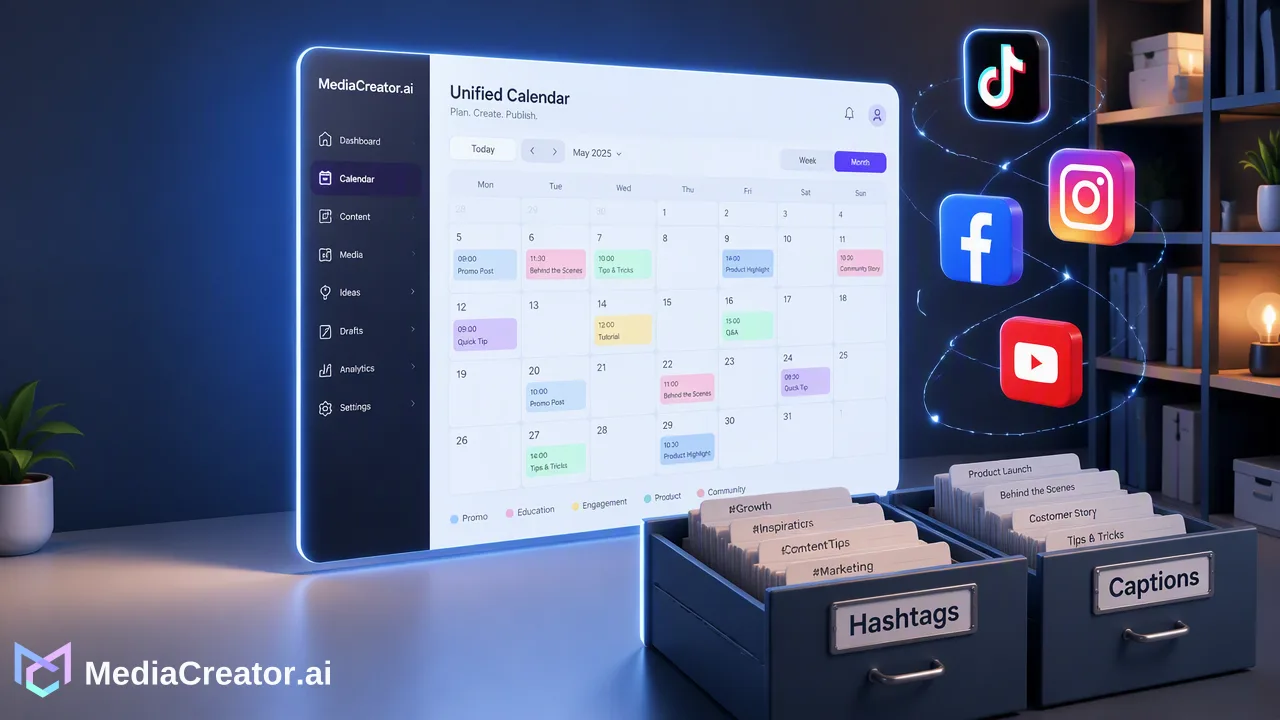
Learn how centralizing hashtags, captions, and media into a unified dashboard streamlines social media content asset management, reduces manual tasks, and maintains brand consistency.
Centralizing social media assets—such as hashtags, captions, and media files—into a single, unified dashboard is essential for scaling social media operations. By moving away from ad-hoc copy-and-paste workflows to a structured library-based system, teams can maintain brand voice, ensure campaign accuracy, and significantly reduce the time spent on repetitive manual tasks across multiple platforms. Effective social media content asset management supports a consistent publishing cadence by keeping all approved text and visual components in one accessible web-based environment. Rather than switching between separate documents and native applications, social media managers can connect their accounts, compose content, and schedule posts from a central hub, streamlining the entire content lifecycle from initial draft to final publication.
The Hidden Cost of Fragmented Social Media Management
Managing fragmented hashtag sets and reusable text across multiple platforms and brands is inefficient. When teams rely on disconnected spreadsheets, note-taking apps, and local folders to store their social media assets, the workflow quickly becomes a bottleneck for scaling social media efforts. Manual copy-pasting introduces friction, increasing the likelihood of formatting errors, outdated campaign messaging, and inconsistent brand voice. Furthermore, the constant need to switch between different applications to retrieve specific captions or media files drains productivity. This fragmented approach makes it difficult to maintain oversight of what assets belong to which campaign. As organizations grow and manage multiple accounts, the lack of a single source of truth complicates collaboration. Without a centralized system, social media managers spend valuable time hunting for the right hashtags or verifying the latest approved copy, rather than focusing on content strategy and audience engagement. Transitioning away from these manual storage methods is a necessary step for teams looking to optimize their daily operations.
Transitioning to a Centralized Asset Library
Moving to a structured, library-based workflow helps teams organize assets by brand, campaign, or platform to maintain consistency. A unified dashboard provides a single source of truth for all social accounts, keeping hashtags, captions, and media files readily available during the content creation process. Using a web-based software platform like MediaCreator.ai, teams can consolidate their social media content asset management. The platform supports secure account connection through OAuth 2.0 for TikTok, Instagram, Facebook, and YouTube. This method requires no password sharing or browser extensions, streamlining the onboarding process for small teams and agencies. Once connected, users can manage multiple accounts per supported platform directly from the Social Account Dashboard. Centralization supports the consistent application of brand assets across all supported channels. Instead of retrieving a video from one folder and its corresponding caption from another, the unified environment brings these elements together. This structured approach reduces the time spent on repetitive manual tasks and provides clear visibility into the assets available for upcoming campaigns.
Optimizing Content for Every Platform
Different social networks have unique formatting requirements, character limits, and visual dimensions. A centralized workflow supports the practice of composing content once and adapting it per platform to ensure proper formatting. MediaCreator.ai facilitates this by offering per-platform previews before publishing, giving teams the context they need to adjust captions and hashtags for TikTok, Instagram, Facebook, and YouTube individually. To maintain campaign accuracy at scale, teams need clear visibility into their publishing pipeline. A visual calendar helps track content states—specifically draft, queued, and published—providing better campaign oversight.
| Workflow Component | Manual Fragmented Workflow | Unified Dashboard Workflow |
|---|---|---|
| Asset Storage | Scattered across local folders and spreadsheets | Centralized web-based library |
| Platform Adaptation | Guesswork and manual formatting per app | Compose once, adapt per platform with previews |
| Account Access | Native app switching and password sharing | OAuth 2.0 connection for multiple accounts |
| Campaign Tracking | Disconnected tracking documents | Visual calendar (draft, queued, published) |
| By keeping work in one place, teams can efficiently tailor their centralized assets to fit the specific nuances of each platform without losing the core brand message. |
Leveraging AI to Scale Your Workflow
Integrating artificial intelligence into social media content asset management can further reduce manual effort, provided it is used as an optional assistance tool rather than an autonomous replacement for human strategy. AI co-pilots can assist in drafting posts, generating media, and adapting existing assets for different audiences. MediaCreator.ai offers optional AI features to support this process. Nova AI acts as a co-pilot for post drafting and workflow assistance, helping teams brainstorm and refine their messaging. For visual assets, Content Studio supports AI image and video generation based on user briefs or existing media. Additionally, the Quick Caption feature generates platform-adapted copy based on uploaded media, streamlining the adaptation phase. To ensure that AI-generated content meets brand standards, human oversight remains a critical component. AI write actions in MediaCreator.ai always show a confirm card before publishing. This confirm-first workflow ensures that social media managers review, edit, and approve all hashtags, captions, and media before they go live, maintaining strict control over the final output.
FAQ
Why is a centralized asset library better than manual storage?
Manual storage relies on disconnected spreadsheets and local folders, which leads to inefficient copy-pasting and app switching. A centralized asset library keeps hashtags, captions, and media in a single web-based dashboard, reducing repetitive tasks and helping teams maintain a consistent brand voice across campaigns.
How does a unified dashboard improve brand consistency?
A unified dashboard provides a single source of truth for all approved content. By keeping all assets in one place, teams can compose once and adapt per platform, ensuring that the correct messaging and visual elements are applied consistently across TikTok, Instagram, Facebook, and YouTube.
Can I manage multiple social accounts for the same platform in one place?
Yes, MediaCreator.ai supports multi-account management per platform. Users can connect multiple accounts for supported platforms using OAuth 2.0, which requires no password sharing, and manage them all from the Social Account Dashboard.
How do I ensure AI-generated content aligns with my brand voice?
Maintaining human oversight is essential when using AI for content creation. In MediaCreator.ai, AI write actions utilize a confirm-first workflow, meaning the platform always shows a confirm card before publishing. This supports teams in reviewing and refining AI-assisted drafts, ensuring the final post meets brand standards.
Get Started with MediaCreator.ai
Discover the power of AI-driven content creation
Related Articles
Continue learning with these related guides
How to Optimize Your Facebook Business Page for Professional Social Media Management
Learn how facebook business page optimization helps teams manage brand presence, collaborate securely via OAuth, and streamline cross-platform publishing.
BlogMastering LinkedIn Consistency: A Workflow Guide to Automated Scheduling
Streamline your scheduling workflow by shifting from manual daily posts to batch planning, visual calendars, and multi-platform management.
Blog