
How to Build a Multi-Platform Social Media Report from One Analytics View
Build a monthly multi-platform social media report from one analytics view: which tabs to use, which metrics compare, and which stay platform-specific.
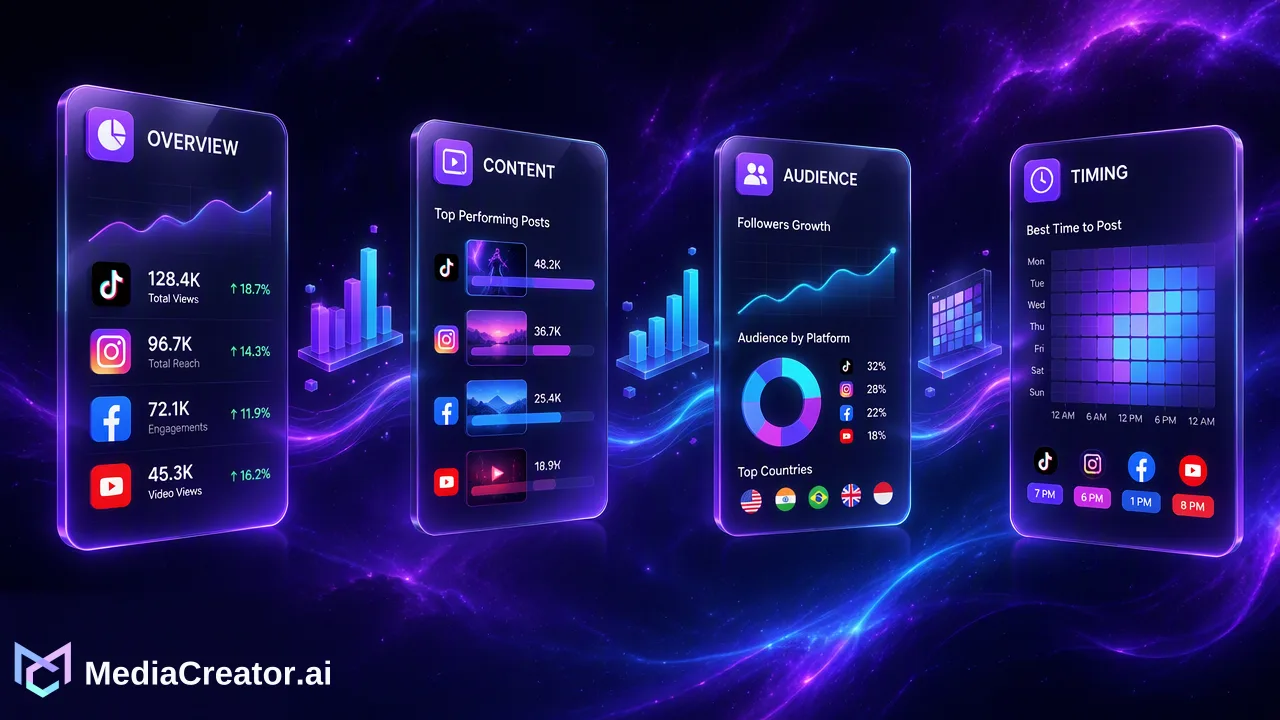
A monthly reporting routine that uses Overview, Content, Audience and Timing analytics across connected accounts, with notes on platform-dependent metrics.
A multi-platform social media report combines results from TikTok, Instagram, Facebook and YouTube into one monthly document, using shared metrics where they are comparable and platform-specific metrics where they are not. In MediaCreator.ai, the Analytics tabs for Overview, Content, Audience and Timing on paid plans provide the source view for connected accounts. The report should state what happened, explain why it likely happened and recommend what to change next month.
Decide what the report is for before opening analytics
A report that tries to answer every question answers none. Start with the reader and the decision they need to make.
- A client or manager usually wants a summary of results, notable posts and next steps.
- A content team wants to know which formats and topics to repeat.
- A solo creator wants to see whether the posting rhythm is sustainable.
Write one sentence of purpose at the top, such as "This report shows which content formats performed best across our four accounts and what to schedule next month." Every table and chart afterwards should help support that sentence, and anything that does not can move to an appendix or be dropped.
Use the four analytics tabs as the structure
Analytics for connected accounts on paid plans is organized into tabs, and each one maps naturally to a section of the report. Availability of individual figures depends on what each platform and account type makes available.
| Report section | Analytics tab | Question it answers |
|---|---|---|
| Headline summary | Overview | What happened across accounts during the period? |
| Content review | Content | Which posts and formats stood out? |
| Audience notes | Audience | Who is watching, and did that change? |
| Scheduling review | Timing | When did posts go out, and when did they do well? |
Working in this order keeps the report consistent from month to month, which makes it easy to compare one period with the last. Analytics is available on Creator, Team and Business plans, not on Free, so plan the reporting routine around the plan the workspace uses. The pricing page lists what each plan includes.
Choose metrics that can be compared across platforms
Platforms define their metrics differently, so the safest approach is to group them by what they mean rather than force a single number.
Metrics that are usually comparable in spirit
- Reach or views for each post
- Engagement actions such as likes, comments and shares
- Number of posts published in the period
- Follower or subscriber change
Metrics that are platform-specific
- Watch time and average view duration, which are central on YouTube. YouTube's help page Get started with YouTube Analytics describes how reach, engagement and audience reporting are separated on that platform.
- Saves, profile visits or story-specific figures on Instagram
- Page-level reach and reactions on Facebook
- Completion-style and sound-related figures on TikTok
Do not add platform-specific numbers together. Report them side by side under the platform name and say plainly that a view on one network is not defined the same way as a view on another. If a figure is not available for an account, note it as unavailable instead of leaving a blank cell.
Build the report step by step
- Set the date range. Use a full calendar month, and keep the same range logic each time.
- Capture the Overview. Record the headline numbers for each connected account and the total number of posts published.
- Pull the top and bottom posts from Content. Choose three to five of each. The weakest posts are often as instructive as the strongest.
- Add Audience notes. Record any visible shift in the audience mix and mention only what the data shows.
- Review Timing. Compare the times posts were scheduled with the results. Treat timing suggestions as a hypothesis to test, since they are guidance and not a guarantee.
- Write the takeaways. Two or three findings, each linked to a piece of evidence.
- List next actions. Concrete tasks, such as "schedule two more behind-the-scenes clips on the next calendar" or "retest Thursday evening posting on Instagram".
Add context that numbers cannot supply
A report is more useful when it explains what the team did, because the data alone rarely says why. Add short notes for:
- Campaigns, launches or events that fell in the period
- Posting gaps, such as holidays or a paused account
- Format experiments, for example a switch from static images to short video
- Failed or rescheduled posts visible on the calendar
The publishing calendar is helpful here, because draft, queued, published and failed states show what was actually delivered rather than what was planned. Pairing the calendar with the analytics tabs ties results back to the schedule. The social media scheduler page explains how that calendar works.
Present the findings so they get read
- Lead with the summary. Put three bullet points at the top.
- Keep one page per platform at most. A reader should find YouTube or TikTok without hunting.
- Use the same layout every month. Consistency makes changes obvious.
- Show small tables, not walls of numbers. Include only figures tied to a conclusion.
- Be honest about gaps. If a metric is missing for an account type, say so.
Avoid benchmarks borrowed from other brands unless the source is named and the comparison is fair. A report that compares an account only with its own earlier months is more reliable than one that compares it with unknown averages.
Common reporting mistakes
| Mistake | Fix |
|---|---|
| Adding different platforms' views into one total | Report each platform separately and compare trends |
| Changing the date range each month | Use fixed calendar months |
| Reporting everything | Keep only metrics tied to a decision |
| Claiming a cause without evidence | Say "likely" and propose a test |
| Hiding missing data | Mark unavailable metrics explicitly |
A monthly report becomes much easier after the first one, because the structure repeats and only the data and commentary change.
FAQ
How can teams build a multi-platform social media report quickly?
Use a fixed template that follows the Overview, Content, Audience and Timing tabs, fill in each section for every connected account and write short takeaways at the end.
Which metrics can be compared between TikTok, Instagram, Facebook and YouTube?
Post counts, reach or views, engagement actions and follower change are broadly comparable in spirit, but each platform defines them differently, so they should be shown side by side rather than added together.
Is Analytics available on every plan?
Analytics is available on paid plans (Creator, Team and Business) and not on Free. Individual figures also depend on what each platform makes available for the connected account.
How should best-time recommendations be used in a report?
Treat them as a hypothesis. Schedule posts at the suggested times for several weeks, compare the results and keep the change only if the account's own data supports it.
Learn More
Choose the product information that fits the next step in your workflow.
Get Started with MediaCreator.ai
Discover the power of AI-driven content creation
Related Articles
Continue learning with these related guides
Manage All Your Social Media in One Place
Learn how to simplify multi-platform content management through centralized social media management, saving time and amplifying your reach.
BlogCentralizing Social Media Engagement: How to Manage Comments, DMs, and Mentions from One Unified Inbox
Learn how a unified social media inbox centralizes comments, direct messages, and mentions from TikTok, Instagram, Facebook, and YouTube.
BlogAI Social Media Content Creator: Turning One Idea into Platform-Ready Posts
How a solo creator can use an AI social media content creator to turn one idea into TikTok, Instagram, Facebook and YouTube drafts, then review and schedule.
Blog