
How to Manage All Your Social Media Accounts in One Place
Consolidate TikTok, Instagram, Facebook, and YouTube into one dashboard. Schedule posts, track publishing, and handle community engagement.
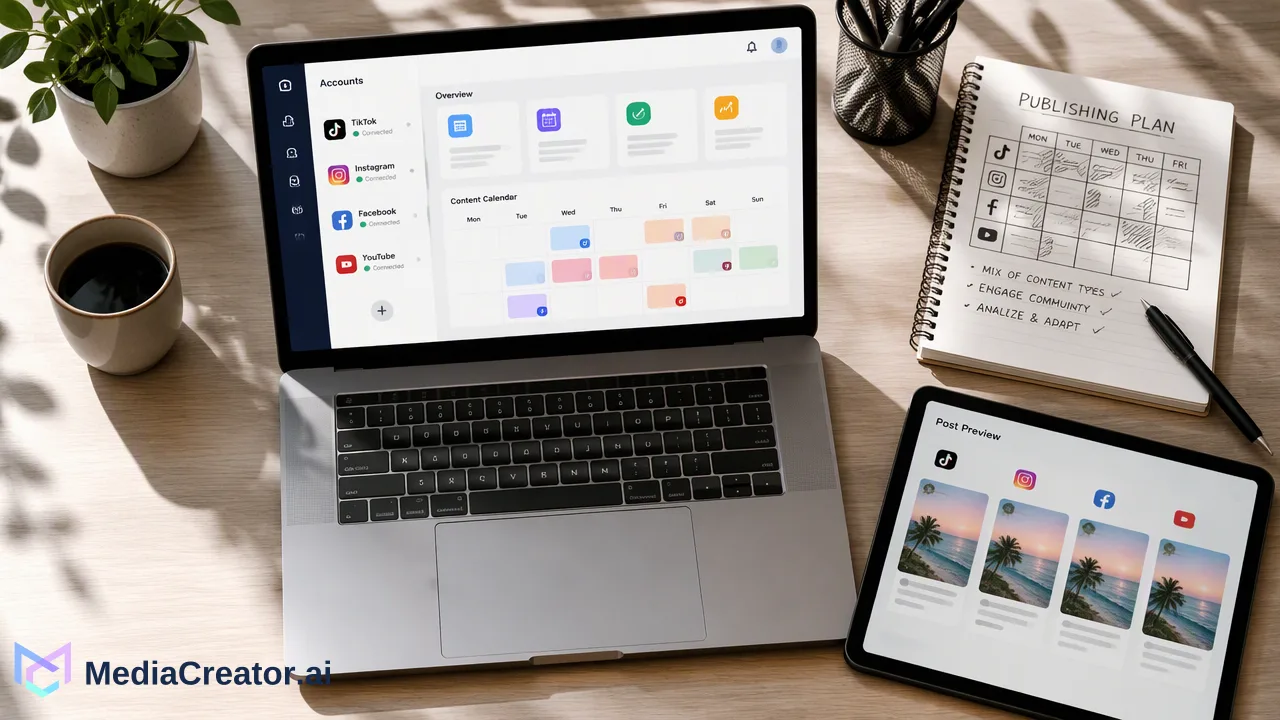
Learn how to manage all social media accounts in one place by connecting TikTok, Instagram, Facebook, and YouTube via OAuth into a unified web workspace for scheduling and engagement.
To manage all social media accounts in one place, teams can connect their brand profiles to a unified management dashboard using official OAuth 2.0 authentication. Centralizing TikTok, Instagram, Facebook, and YouTube inside a single workspace like MediaCreator helps content teams coordinate cross-platform publishing, plan drafts on a shared visual calendar, and respond to incoming audience interactions without manual account switching.
The Operational Advantages of a Unified Social Media Dashboard
Operating brand profiles across multiple social networks often creates friction when team members log in and out of native interfaces. Fragmented workflows increase the likelihood of publishing mistakes, delayed community responses, and scattered asset tracking.
Consolidating workflows into a central web application helps agencies, creators, and brands streamline daily production. Instead of jumping between mobile apps and disparate browser tabs, managers can maintain channel-specific schedules and community monitoring from a shared interface. Combining scheduling, inbox monitoring, and profile management into one system supports consistent brand visibility while keeping team oversight clear.
| Workflow Area | Manual Network Management | Centralized Dashboard |
|---|---|---|
| Account Access | Frequent logins across individual platform interfaces | Single web dashboard with connected profiles |
| Scheduling Overview | Disconnected native scheduling tools | Unified visual calendar across all supported networks |
| Engagement Triage | Checking isolated notifications per app | Consolidated inbox for comments, mentions, and messages |
| Publishing Oversight | Manual verification on individual feeds | Clear draft, queued, published, and failed status markers |
Step 1: Securely Connecting Accounts via Official OAuth
The initial step to manage all social media accounts in one place involves linking your brand channels through authorized developer protocols. MediaCreator supports integrations with TikTok, Instagram, Facebook, and YouTube.
Rather than collecting sensitive platform credentials, connections use official OAuth 2.0 flows. When adding a channel, administrators complete the authorization prompt directly through the respective social network. This method requires no shared team passwords and avoids third-party browser extensions that could compromise session security.
Workspaces can link multiple profiles per supported network to support distinct brands, regional accounts, or production studios. Account limits correspond to tier structures: Free workspaces include up to 5 connected accounts, Creator tiers support 15, Team plans include 30, and Business subscriptions accommodate unlimited connected accounts. This tiered capacity lets organizations scale their social portfolio seamlessly as their distribution footprint expands.
Step 2: Streamlining Publishing with a Multi-Account Calendar
Once profiles are linked, scheduling content across several networks from a single drafting view saves substantial operational time. Using the social media scheduler, teams can draft one creative asset and customize text, hashtags, or formatting parameters specifically for TikTok, Instagram, Facebook, or YouTube.
The integrated calendar offers month, week, and list perspectives, giving content leads complete visibility over scheduled queues. Real-time status indicators track every post through draft, queued or publishing, published, and failed states. Monthly publishing allowances scale across plan tiers—supporting 30 posts on Free, 500 on Creator, 2,000 on Team, and unlimited posts on Business workspaces.
Content creators can also use built-in tools like Quick Caption to adapt copy from uploaded media or generate draft variations with the Nova AI co-pilot. In keeping with quality standards, all AI-generated copy and media require user review before entering the publishing queue.
Step 3: Handling Community Engagement in a Central Inbox
Publishing content is only half the operational equation; community management demands continuous monitoring. The unified social inbox aggregates incoming comments, direct messages, and public @mentions from eligible connected profiles into one chronological feed.
Community managers can reply directly from the dashboard where network APIs permit, minimizing the risk of overlooked customer inquiries or viral comment threads. The workspace also supports internal team notes, allowing collaborators to confer on complex inquiries before posting an official reply.
Interaction availability and reply capabilities depend on network permissions, account types, and authorized OAuth scopes. Paid plans provide access to the social inbox, offering 30 days of conversation history on Creator and Team tiers, alongside unlimited interaction history on Business plans.
FAQ
Which social platforms can teams manage inside the unified dashboard?
The platform supports connected accounts across TikTok, Instagram, Facebook, and YouTube. Workspaces can connect multiple profiles per platform subject to their overall account allowance.
How are social media accounts connected without sharing passwords?
Accounts connect directly through standard OAuth 2.0 authorization prompts provided by each network. This approach grants publishing and messaging permissions without requiring team password sharing or third-party browser extensions.
Can teams answer audience comments and direct messages in one place?
Yes. Eligible connected accounts funnel incoming comments, direct messages, and brand mentions into a centralized social inbox, where community managers can review history, draft replies, and add internal notes.
How does visual calendar scheduling help multi-account operations?
A centralized calendar displays monthly, weekly, and list views of all planned content, indicating whether individual posts are in draft, queued, published, or failed states across each target channel.
Learn More
Choose the product information that fits the next step in your workflow.
Get Started with MediaCreator.ai
Discover the power of AI-driven content creation
Related Articles
Continue learning with these related guides
Manage All Your Social Media in One Place
Learn how to simplify multi-platform content management through centralized social media management, saving time and amplifying your reach.
BlogCentralizing Social Media Engagement: How to Manage Comments, DMs, and Mentions from One Unified Inbox
Learn how a unified social media inbox centralizes comments, direct messages, and mentions from TikTok, Instagram, Facebook, and YouTube.
BlogThe Threads Growth Playbook: Workflows for Text-First Social Media Strategy
Build a scalable text-first social media strategy with proven workflows for conversational posting, brand voice consistency, and structured drafting.
Blog