
Centralized Social Media Management: What Belongs in One Workspace
Decide which accounts, content, conversations and measurements to centralize, and which platform-specific tasks still belong in native tools.
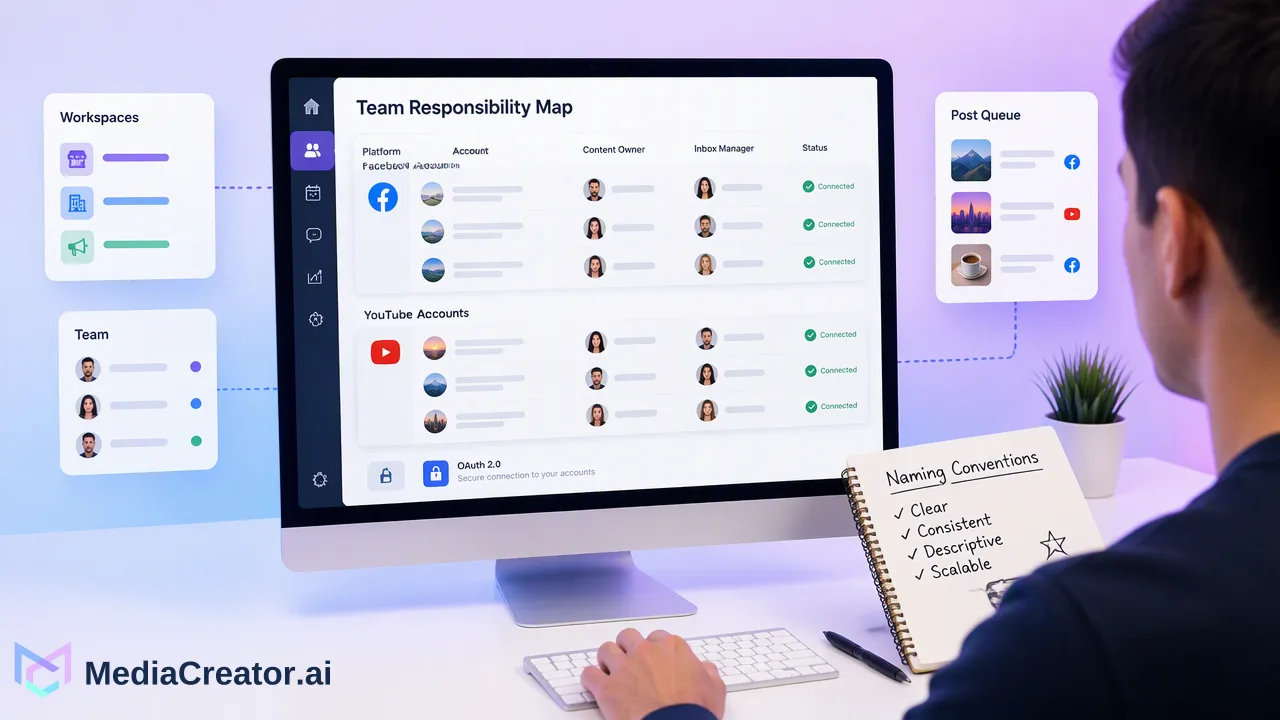
Centralized social media management gives teams a shared operating view while preserving platform-specific decisions.
Centralized social media management means organizing connected accounts, a publishing calendar, incoming conversations, reusable media and performance review in one working system. It gives a team one place to plan and monitor work across channels, while each platform still controls its own publishing rules, permissions and native features. The practical goal is fewer lost handoffs and clearer ownership, not identical posts or a promise that every platform action can be handled from one screen.
What centralized social media management means for a team
Centralization is an operating choice. A solo creator may need a reliable calendar and one place to see responses. A studio with several client accounts needs a clear map of who owns each profile and which post belongs to which campaign. A brand team may need a repeatable review path from draft to approved post. In each case, the shared workspace should answer five questions: which account is connected, what is planned, where is the current asset, who should answer incoming questions, and what happened after publication.
The distinction matters because simply installing a dashboard does not create a workflow. If account names are ambiguous, drafts are stored on individual laptops and nobody checks failed posts, the work remains fragmented. Set naming conventions and a responsibility map first. MediaCreator.ai connects TikTok, Instagram, Facebook and YouTube accounts in one web app through official OAuth 2.0, with multiple accounts per supported platform. Social-account passwords need not be shared among operators. The connected-account allowance is a combined total across platforms, so teams should inventory the profiles they actually manage before choosing a plan, without assuming a separate allowance for each network.
The workspace should also have a clear boundary. A connected tool sees and performs only what the underlying platform and granted permissions make available. Platform-specific settings, account administration and interactions outside the connection's scope still need attention in the native product. Write those exceptions down; otherwise, a seemingly complete dashboard can create a false sense of coverage.
Bring connected accounts and ownership into one map
Start with a simple account register. For each TikTok, Instagram, Facebook or YouTube profile, record the public-facing account name, the business or campaign it serves, the person authorized to connect it, the content owner, the inbox owner and the fallback contact. Avoid putting passwords in the register. Connecting with OAuth is an authorization step, and the team should know who can renew access if a connection changes.
Use an unmistakable naming pattern for similar accounts. A studio might manage a main brand, a local-language brand and a campaign account on the same platform; each should be distinguishable in the composer and calendar before scheduling. Then establish a pre-publish check that explicitly confirms the selected target account. This small habit addresses a risk that a shared dashboard can make more visible: one composer can target many profiles, so a wrong selection is costly.
Review the map whenever a profile is added, transferred or retired. A new social account is not operationally ready just because it appears as connected. Confirm the right person has permission, the content format is understood, and the inbox coverage is known. If a profile stops being used, remove it from the active planning list so it is not selected by mistake. These are suggested team controls rather than claims about automated product safeguards.
Plan drafts, platform adaptations and status on one calendar
A central calendar is most useful when it is the source of truth for intended publication. The social media scheduler in MediaCreator.ai offers month, week and list views and supports drafts, immediate publishing and scheduled posts. Teams can compose once, adapt copy and settings for each target, and preview how the result is expected to appear on each platform before sending it. Put campaign labels or internal notes in the team's own planning system if needed, but do not assume a particular labeling feature exists in the publishing tool.
One draft should not mean one unedited caption everywhere. A short TikTok description, an Instagram Reel caption, a Facebook explanation and a YouTube title or description serve different reading contexts. Keep the core claim, source facts and approved visual consistent, then adapt opening lines, calls for discussion and media choices to the destination. Preview each target, especially crops, embedded text and the selected account. For time-sensitive content, check the date and time zone on the calendar, then revisit the queue before publication if facts may change.
The calendar also provides an outcome check. Draft means the work has not been sent; queued or publishing means the selected time or process is still pending; published and failed are distinct results. A team member should review failures rather than treating a scheduled item as delivered. When a post is live, inspect the native post if visual accuracy or platform-specific settings matter. A clear status lets the next shift see what actually happened, but responsibility for reviewing it remains human.
Keep a shared media library with a usable source trail
Centralizing media avoids repeatedly hunting through chat attachments and old exports. MediaCreator.ai includes a Media Library for images, videos and audio. The team still needs its own practical rules for file identity: name the master, date the version, record the owner or rights source, and distinguish approved assets from work in progress. If a regional variant changes the spoken language, caption or on-screen text, give it a separate identity rather than silently replacing the original.
Before an asset enters the publishing queue, check whether it is the correct aspect ratio and duration for the intended destination, whether text remains legible in a preview, and whether the clip has an appropriate audio or subtitle treatment. A shared library helps people find the right file; it cannot decide whether a claim is current or a visual is licensed. For AI-created assets, the same review applies. MediaCreator.ai's Content Studio can generate images and videos using the enabled live model catalog, and Quick Caption can assist with copy from uploaded media. These are drafting aids, with human review before publication. The AI content generation page describes the available creation workflow, while the team should rely on the live interface for current model and cost details.
A source trail also helps during revisions. If a post must be corrected, the team can identify which file was used, which copy was approved and which other scheduled posts reuse the same claim. Centralization is valuable here because it makes an error easier to locate across a calendar, not because it prevents errors automatically.
Treat the shared inbox as a queue with coverage rules
A publishing system is incomplete if every response is still scattered across individual account owners. MediaCreator.ai's Unified Social Inbox brings supported comments, direct messages and @mentions from eligible connected accounts into a common view on paid plans. An inbox owner can check urgent questions first, route sensitive issues and use approved answer material for routine questions. The team should still read the source post and conversation before replying; a canned answer can be wrong even when its general facts are correct.
Coverage is conditional. Platform, account type and OAuth permissions determine which interactions are available. Make a coverage matrix for each account: visible comment types, available message types, mentions, the responsible reviewer and the native location used for exceptions. Do not infer that YouTube has the same message workflow as Instagram, or that a TikTok interaction appears simply because the profile is connected. If a conversation is not visible in the central view, handle it in the native platform and leave a handoff record where the team tracks unresolved work.
Set a triage order and escalation route. Questions involving privacy, safety or account-specific service should reach an authorized person; simple clarifications can be answered by the social operator. End each shift with unresolved items assigned to someone. The shared queue reduces context switching, while this ownership rule prevents it from becoming a list that everyone can see and nobody handles.
Use one analytics review without flattening platform differences
A centralized measurement view makes it easier to ask whether the content plan is serving its purpose. MediaCreator.ai Analytics has Overview, Content, Audience, Timing and Lab areas on paid plans. Use those views to compare the team's own publishing patterns and decide what to investigate next. For example, if tutorial clips attract questions that the caption does not answer, the next iteration may need clearer context. If a format is consistently difficult to produce, compare its effort with the learning it provides before making more of it.
Avoid treating a single number as interchangeable across networks. A video view, a comment and a profile action can have different definitions and audience contexts on TikTok, Instagram, Facebook and YouTube. Record what the team is trying to learn for each post: a tutorial might be judged by useful questions and completion behavior available to the account, while a service update might be judged by whether confusion declines. Compare within the same channel and format where possible, and keep the time period visible.
Timing guidance is a starting point rather than a promise. A team can compare its own posts at several plausible times, account for audience time zones and adjust the calendar. The specific recommendation should be checked against the actual account history and content type. When a platform's native analytics offers a detail the shared view does not, use that native source for the decision and note it in the review.
What should remain in each platform’s native tools
Centralize the repeatable coordination work; keep platform-specific controls at their source. Account permissions, eligibility, creator settings, some moderation options and specialized publishing features are governed by each social platform. Official platform documentation demonstrates the distinction: TikTok's Content Posting API guide lists prerequisites and creator choices for direct posting, while YouTube's video upload reference describes its own upload and authorization rules. A shared tool can support its documented workflow but cannot replace every native setting or erase platform conditions.
Use a simple decision rule. If the task is repeated across several accounts and needs a common owner or calendar, place it in the central workspace. If the task depends on a platform-only feature, a changed permission or a problem visible only in the native app, do it there and capture the outcome for the team. For an unusual post type, check current platform guidance and the live composer before committing to a schedule. Do not infer support from the fact that a similar format worked elsewhere.
Finally, audit the workflow monthly: list where people still switch tools, decide whether that switch is necessary, and update the team's process. A useful central system makes remaining exceptions explicit. It gives operators a clear view of planned posts, available conversations and measurable outcomes while preserving the decisions that belong to the platform and the people responsible for the account.
FAQ
How can teams decide what to centralize first?
Start with the work that crosses accounts and causes missed handoffs: an account register, a shared publishing calendar and a named inbox owner. Add media and analytics review once those basics are reliable.
Can one dashboard replace every native social platform tool?
No. Platform permissions, specialized features and some moderation or account settings still need native tools. Record each exception and its owner so the team knows where to complete that task.
How can teams avoid posting to the wrong connected account?
Use clear account names, confirm the selected target in the composer, review each platform preview and check the queue before publication. Assign someone to verify the result after the post goes live.
Does a centralized inbox include every message from TikTok, Instagram, Facebook and YouTube?
Coverage depends on each platform, account type and OAuth permissions. Maintain a per-account coverage matrix and check native areas for interaction types unavailable to the connected inbox.
Learn More
Choose the product information that fits the next step in your workflow.
Get Started with MediaCreator.ai
Discover the power of AI-driven content creation
Related Articles
Continue learning with these related guides
Manage All Your Social Media in One Place
Learn how to simplify multi-platform content management through centralized social media management, saving time and amplifying your reach.
BlogHow to Manage All Your Social Media Accounts in One Place
Consolidate TikTok, Instagram, Facebook, and YouTube into one dashboard. Schedule posts, track publishing, and handle community engagement.
BlogAI Tools for Social Media Content Creation: Stack or Workspace?
Compare a specialist AI tool stack with one social content workspace, from drafts and media to review and scheduling.
Blog