
How to Set Up a Social Media Content Review Workflow Before Publishing
Learn how to build a social media content review workflow across TikTok, Instagram, Facebook, and YouTube with drafting, previews, and calendar controls.
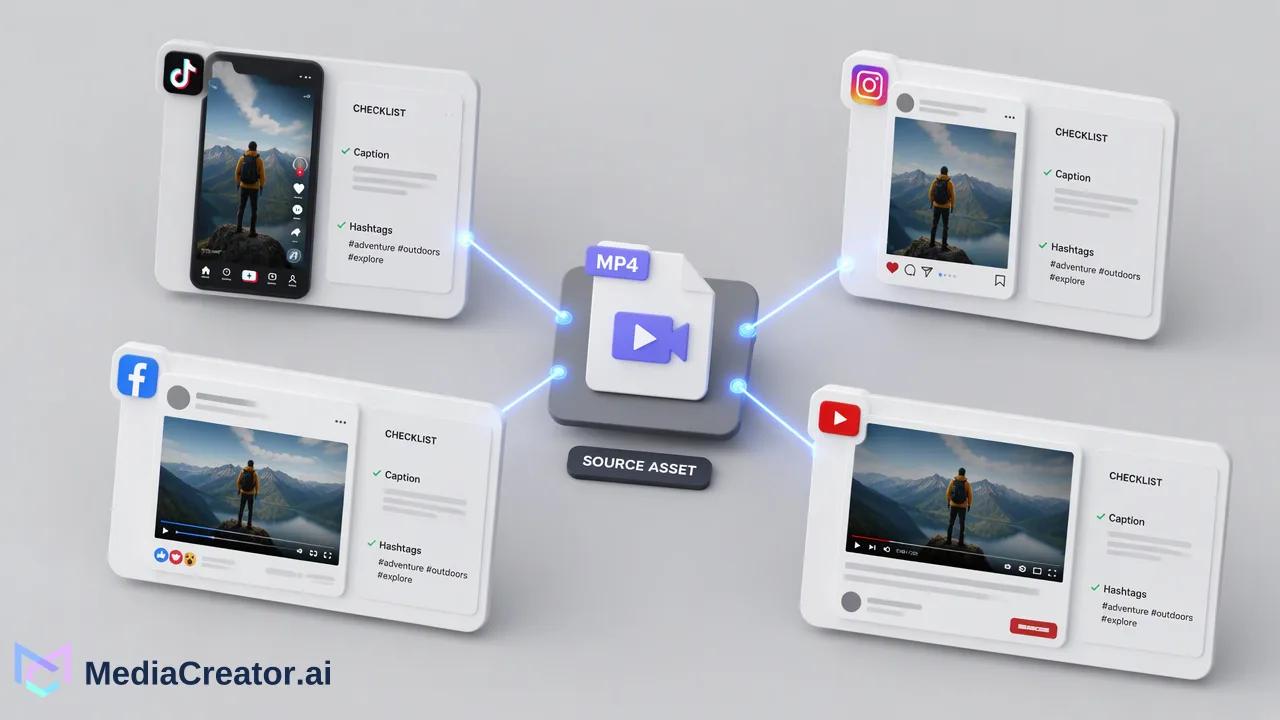
A structured social media content review workflow helps teams verify draft copy, platform-specific formatting, and scheduling states before posts go live.
A reliable social media content review workflow establishes a clear operational sequence—drafting, previewing, team verification, and scheduling—to catch formatting mismatches, tone inconsistencies, and caption errors before posts publish. Teams achieve this by centralizing post creation, applying predefined brand voice guidelines to AI-assisted text, auditing per-platform previews for networks like TikTok, Instagram, Facebook, and YouTube, and tracking post lifecycle states on a shared visual calendar. This structured review loop helps maintain brand standards without relying on fragmented external messaging threads.
The Core Stages of a Team Content Review Loop
Ad-hoc publishing workflows often introduce avoidable errors, including truncated text, misplaced hashtags, and misaligned tone. When multiple team members produce content across different channels, implementing a standardized review loop creates predictable quality checkpoints. Rather than treating publishing as an immediate, single-click action, a multi-stage review workflow divides content preparation into distinct operational phases: drafting, layout previewing, quality verification, and calendar scheduling.
A centralized management dashboard streamlines this sequence by replacing scattered spreadsheets and shared login files. With social profiles connected securely via OAuth 2.0 without browser extensions or password sharing, creative teams can manage assets for TikTok, Instagram, Facebook, and YouTube in a unified workspace. Establishing structured stages provides operational clarity, helping contributors verify that every asset fulfills brand standards before advancing to publication.
Step 1: Centralized Drafting with Brand Voice Controls
The initial stage of the review workflow focuses on asset assembly and copy generation. When drafting post copy, teams can utilize AI content generation and caption tools like Quick Caption to adapt text from uploaded images or video assets. However, AI-assisted drafting requires user review before publish to confirm factual precision and tone alignment.
To support organizational consistency across multiple contributors, teams can establish up to 10 opt-in Brand Voice profiles. Each profile stores specific tone guidelines, instructions, writing samples, and optional reference images. During draft creation, team members explicitly select the relevant voice profile for the campaign and evaluate AI-generated proposals before accepting or editing the copy. This human-in-the-loop checkpoint ensures that automated copy suggestions remain grounded in established brand guidelines prior to visual verification.
Step 2: Auditing Per-Platform Previews Across Networks
Because each social network enforces unique display rules, aspect ratios, and caption truncations, multi-platform campaigns require tailored inspection rather than evaluation as a generic asset. A crucial phase of the review workflow involves examining per-platform previews before scheduling.
MediaCreator allows teams to tailor individual post copy, platform settings, and media formatting specifically for TikTok, Instagram, Facebook, and YouTube within the same authoring flow. Reviewers can inspect how captions render against network interfaces, verify that video dimensions match target feeds, and check that hashtags or links appear where intended. Evaluating platform-specific previews helps teams catch layout flaws that might otherwise disrupt audience presentation.
Step 3: Tracking Review States on a Visual Calendar
Once individual drafts pass layout inspection, teams need visibility into how content is sequenced across publishing timelines. A unified calendar view functions as the operational hub for tracking content maturity.
Using the social media scheduler, teams can monitor posts across month, week, or list views. The visual calendar surfaces clear operational states:
| Calendar State | Operational Role in the Review Loop |
|---|---|
| Draft | Work-in-progress posts undergoing copywriting, media pairing, or internal review. |
| Queued / Publishing | Verified posts scheduled for automated dispatch or actively processing at their set time. |
| Published | Completed posts confirmed as live on the destination social profile. |
| Failed | Posts that encountered delivery interruptions, prompting team review of permissions or assets. |
Visualizing these distinct states helps teams spot scheduling gaps, coordinate multi-account campaigns, and confirm that unverified drafts remain unreleased until fully vetted.
Step 4: Final Verification and Scheduling Checks
The final review phase acts as the quality checkpoint before content transitions from draft status to active scheduling. During this checkpoint, designated reviewers perform a focused inspection of core publishing parameters:
- Asset and Copy Alignment: Confirm that media files, tags, and caption text correspond directly to the designated account and platform requirements.
- Brand Voice Adherence: Verify that the selected Brand Voice parameters and human revisions accurately reflect campaign objectives.
- Date and Time Precision: Confirm scheduled delivery times against content calendar priorities and target time zones.
- Account Destination: Verify that OAuth connections for targeted TikTok, Instagram, Facebook, or YouTube profiles remain active and properly assigned.
Completing these verification items in the centralized calendar establishes a disciplined operational rhythm, supporting consistent social media execution across all connected channels.
FAQ
Why is human review necessary for AI-assisted social content?
While automated tools accelerate caption ideation and adapt copy from uploaded media, AI-assisted writing requires user review before publish to confirm context, factual accuracy, and alignment with organizational guidelines.
How can teams maintain brand voice consistency across multiple contributors?
Teams can configure up to 10 opt-in Brand Voice profiles containing specific tone instructions, sample copy, and optional reference images. Selecting a profile during drafting guides AI copy generation and provides reviewers with a clear benchmark for evaluating drafts.
What operational states does the visual calendar track during content review?
The visual calendar displays posts across four distinct operational states: draft, queued/publishing, published, and failed. This visibility helps teams monitor review progress across month, week, and list views to confirm that only verified content moves to scheduled delivery.
Learn More
Choose the product information that fits the next step in your workflow.
Get Started with MediaCreator.ai
Discover the power of AI-driven content creation
Related Articles
Continue learning with these related guides
How to Build a Centralized Snippet Library for Faster Social Media Publishing
Learn how social media snippet management helps teams centralize text, links, and hashtags to speed up publishing and maintain brand consistency.
BlogHow to Build an Automated Social Media Publishing Workflow
Learn how to build an automated content publishing workflow using centralized dashboards, AI drafting tools, and visual scheduling for social media teams.
BlogHow to Integrate Boosted Reels into Your Social Media Publishing Workflow
Integrate boosted Instagram Reels into your social publishing workflow. Balance organic planning, eligibility, brand voice, and analytics.
Blog