
Scaling Your Social Media Strategy: AI-Driven Content Workflows
Learn how to scale multi-channel workflows using AI social media content generation. Discover practical steps for drafting, adapting, and scheduling posts.
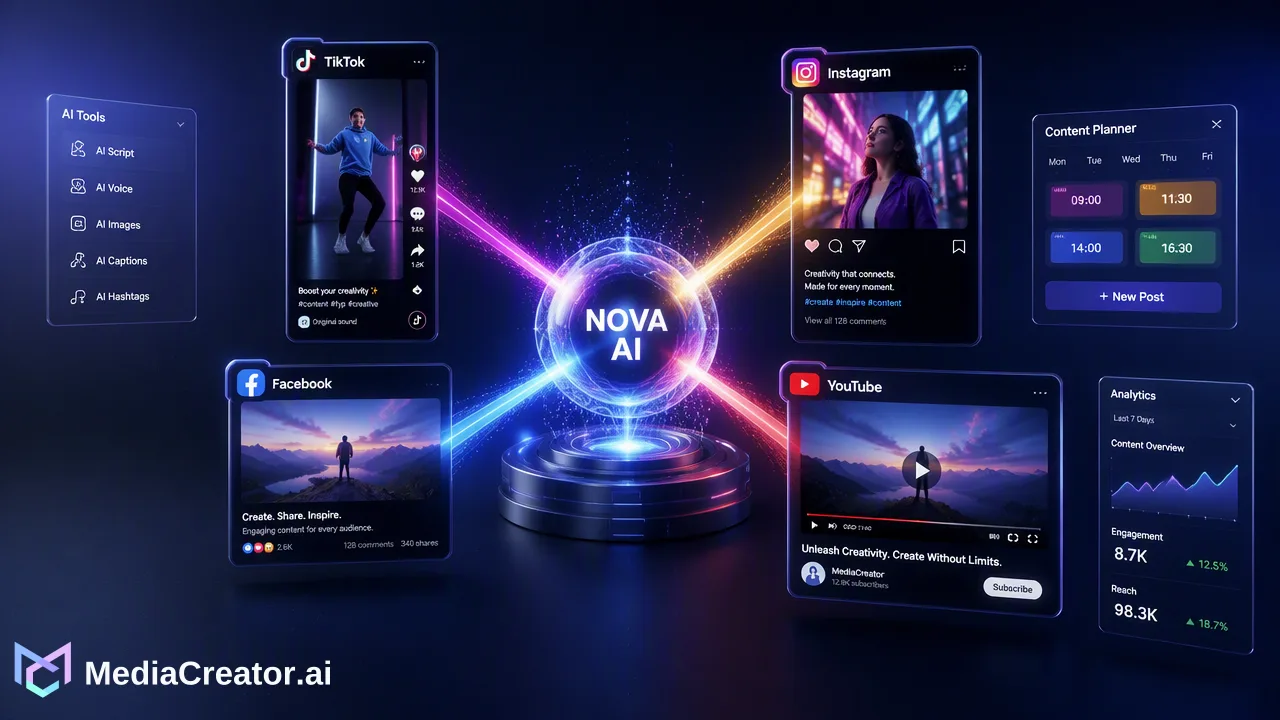
Learn how to scale multi-channel social media production using AI tools for visual generation, platform-adapted copy, and unified scheduling.
Scaling social media content requires a balance between AI efficiency and human oversight. By using integrated tools like Content Studio for visuals, Quick Caption for platform-adapted copy, and Nova AI for drafting, teams can streamline production. Always utilize per-platform previews and confirm-first AI workflows to ensure content meets brand standards before scheduling via a visual calendar. Effective AI social media content generation keeps work in one place while maintaining strict quality control across TikTok, Instagram, Facebook, and YouTube.
The Challenge of Multi-Channel Content Scaling
Managing a consistent presence across TikTok, Instagram, Facebook, and YouTube requires adapting to distinct formats, audience expectations, and posting cadences. For social media managers and digital marketing teams, manually switching between these platforms often leads to fragmented workflows and inconsistent branding. The core challenge lies in producing enough high-quality media to feed these channels without sacrificing the unique requirements of each network. When teams rely on disconnected tools, they face version control issues, scattered assets, and a lack of unified oversight. AI social media content generation helps address this operational bottleneck by centralizing the drafting and adaptation phases. Instead of logging into four different applications, teams can manage multiple accounts per supported platform from a single web-based dashboard. This consolidation supports a more structured approach to content planning, allowing creators to focus on strategy rather than administrative tasks.
Streamlining Creation with AI Tools
Integrating artificial intelligence into the drafting process can significantly reduce the time spent on media ideation and copywriting. MediaCreator.ai provides specific, optional AI features designed to assist at different stages of the content lifecycle.
| AI Feature | Primary Function | Workflow Application |
|---|---|---|
| Content Studio | AI image and video generation | Supports the creation of visual assets when original photography or video is unavailable. |
| Quick Caption | Platform-adapted copy generation | Analyzes uploaded media to draft text tailored to the specific platform's style and length constraints. |
| Nova AI | Drafting co-pilot | Assists with overall post drafting, workflow management, and content ideation. |
Using these tools in tandem creates a cohesive production pipeline. For example, a team can use Content Studio to generate a base image for a campaign. Once the visual is ready, Quick Caption can draft distinct variations of the accompanying text—one optimized for a Facebook update and another formatted for an Instagram post. Nova AI acts as an overarching co-pilot, helping teams refine their messaging and maintain a consistent voice. This structured approach to AI social media content generation keeps the creative process moving forward while ensuring the output remains relevant to the target audience.
Maintaining Quality Control in AI Workflows
While AI accelerates the drafting phase, human oversight remains a critical component of professional social media management. AI-generated content should never bypass editorial review. In MediaCreator.ai, all AI write actions require user confirmation before publishing. This confirm-first behavior ensures that social media managers retain full control over what goes live on their channels. Quality control extends beyond simply approving text; it involves verifying how the final post will render on the end user's device. The platform provides per-platform previews, allowing teams to inspect the exact layout, image cropping, and text formatting for TikTok, Instagram, Facebook, and YouTube before scheduling. Workflow steps for quality assurance:
- Draft Generation: Utilize Nova AI or Quick Caption to create the initial text.
- Review and Edit: Manually refine the AI-generated copy to align with brand guidelines.
- Platform Preview: Check the per-platform rendering to ensure visual assets display correctly.
- Final Confirmation: Acknowledge the confirm card presented by the system to authorize the AI write action. This human-in-the-loop requirement prevents unreviewed material from reaching the public and supports a reliable, brand-safe publishing strategy.
Managing Your Social Presence from One Dashboard
Effective multi-channel growth relies on centralized operations. The Social Account Dashboard allows teams to connect supported social accounts through secure OAuth 2.0 connections. This method eliminates the need for password sharing or browser extensions, streamlining the onboarding process for multiple accounts per supported platform. Once accounts are connected, the workflow transitions to the Cross-Platform Publishing Calendar. This visual calendar provides a comprehensive overview of the content pipeline, categorizing posts into draft, queued, and published states. Teams can compose a post once, adapt it for different networks, and schedule it visually, reducing the manual switching typically required for multi-platform management. Beyond publishing, maintaining an active presence requires consistent audience interaction. The Unified Social Inbox brings comments, direct messages (DMs), and @mentions from all connected accounts into one centralized location. This consolidation helps teams review and reply to engagement without navigating away from their primary workspace. By combining AI-assisted creation, visual scheduling, and unified engagement management, teams can execute a cohesive social media strategy from a single web-based interface.
FAQ
How does MediaCreator.ai ensure content quality before publishing?
MediaCreator.ai enforces a human-in-the-loop workflow where all AI write actions show a confirm card before publishing. Additionally, the platform provides per-platform previews, allowing users to check the exact rendering of their posts on TikTok, Instagram, Facebook, and YouTube before they go live.
Which social media platforms are supported by MediaCreator.ai?
The platform supports account connections and publishing for TikTok, Instagram, Facebook, and YouTube. Users can manage multiple accounts per supported platform from the central dashboard.
Do I need to share passwords to connect my social accounts?
No. MediaCreator.ai uses secure OAuth 2.0 account connections for all supported platforms. This method allows you to authenticate and connect your profiles without sharing passwords or requiring a browser extension.
Get Started with MediaCreator.ai
Discover the power of AI-driven content creation
Related Articles
Continue learning with these related guides
Building a Brand Safety Governance Framework: A Guide to Enterprise Risk Mitigation
Learn how to build a social media brand safety governance framework with human-in-the-loop workflows, brand voice controls, and multi-account oversight.
BlogBeyond Vanity Metrics: How to Build a Data-Driven Social Media Reporting Workflow
Build a data-driven social media reporting workflow. Move past vanity metrics to track performance, refine content, and support business goals.
Blog